Industrial ERP
Industrial ERP for SMEs and mid-sized manufacturers: a system that applies your rules
AVIA ERP brings production, inventory, purchasing, sales and quality into one database, then adds what an ERP alone does not do: business rules the system checks, approval workflows, an AI assistant and continuous-improvement tools.
Production (MRP / shop floor)
Industrial ERP
Multi-level routings and bills of materials, work order release and tracking, shop-floor reporting and true cost price.
- Status
- Available
- Module
- Industrial ERP
Who it is for
- Industrial SMEs and mid-sized manufacturers in Tunisia and the Maghreb
- Fifteen sectors, each with its own standards
- Pricing and payment in US dollars, Essentiel to Enterprise packs
Short answer
An industrial ERP links a factory’s production, inventory, purchasing, sales and quality in one database. For an industrial SME or mid-sized manufacturer in Tunisia, the difference comes down to two points: it covers the manufacturing trade itself (routings, bills of materials, work orders, lot traceability) and it applies the company’s rules instead of leaving them in spreadsheets. AVIA ERP is a cloud ERP of this kind: it is deployed by pack and complemented by configurable business rules, workflows, an AI assistant and Lean modules.
What the foundation covers
The ERP foundation underpins everything else: rules, AI and continuous improvement read the same data as production and inventory.
- Available
Production (MRP / shop floor)
Multi-level routings and bills of materials, work order release and tracking, shop-floor reporting and true cost price.
- Available
Inventory and lot traceability
Items and lots followed from stock to shipment. This module is included from the Essentiel pack.
- Available
Purchasing, sales and invoicing
Purchase requests, orders and receipts on one side; quotes, delivery notes and invoices on the other, on the same data as the shop floor.
- Available
Quality, nonconformities and OEE
Nonconformities, corrective actions and workstation efficiency tracking. These modules arrive with the Professionnel pack, as does treasury; accounting belongs to the Enterprise pack.
- Available
Shop floor: mobile and entry terminal
A shop-floor mobile app and an operator entry terminal, to report as close to the machine as possible. The mobile app is included from the Professionnel pack.
- Available
Interface in three languages
The portal is available in French, English and Arabic. This website is too, with Arabic written right to left.
The foundation in screenshots
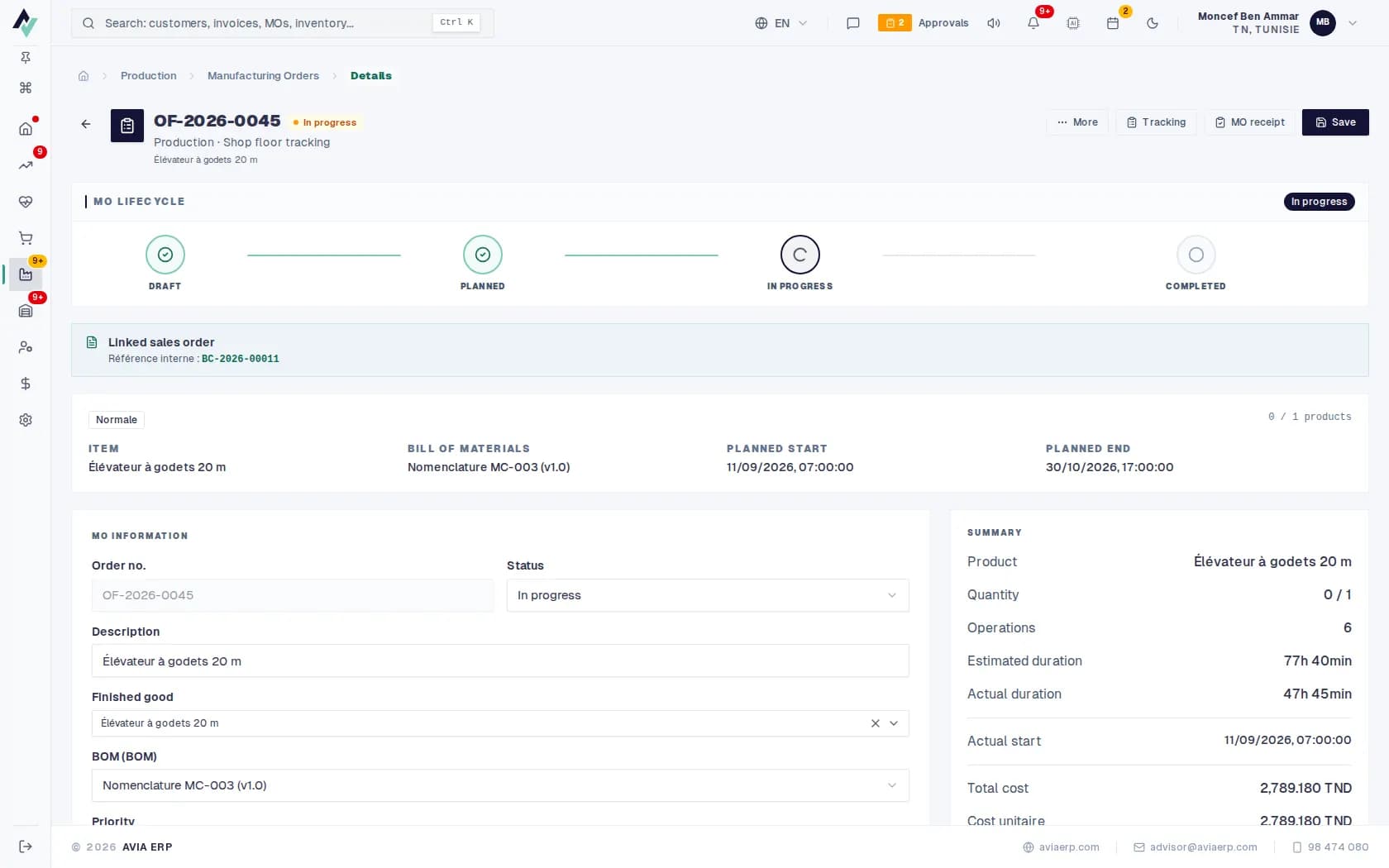
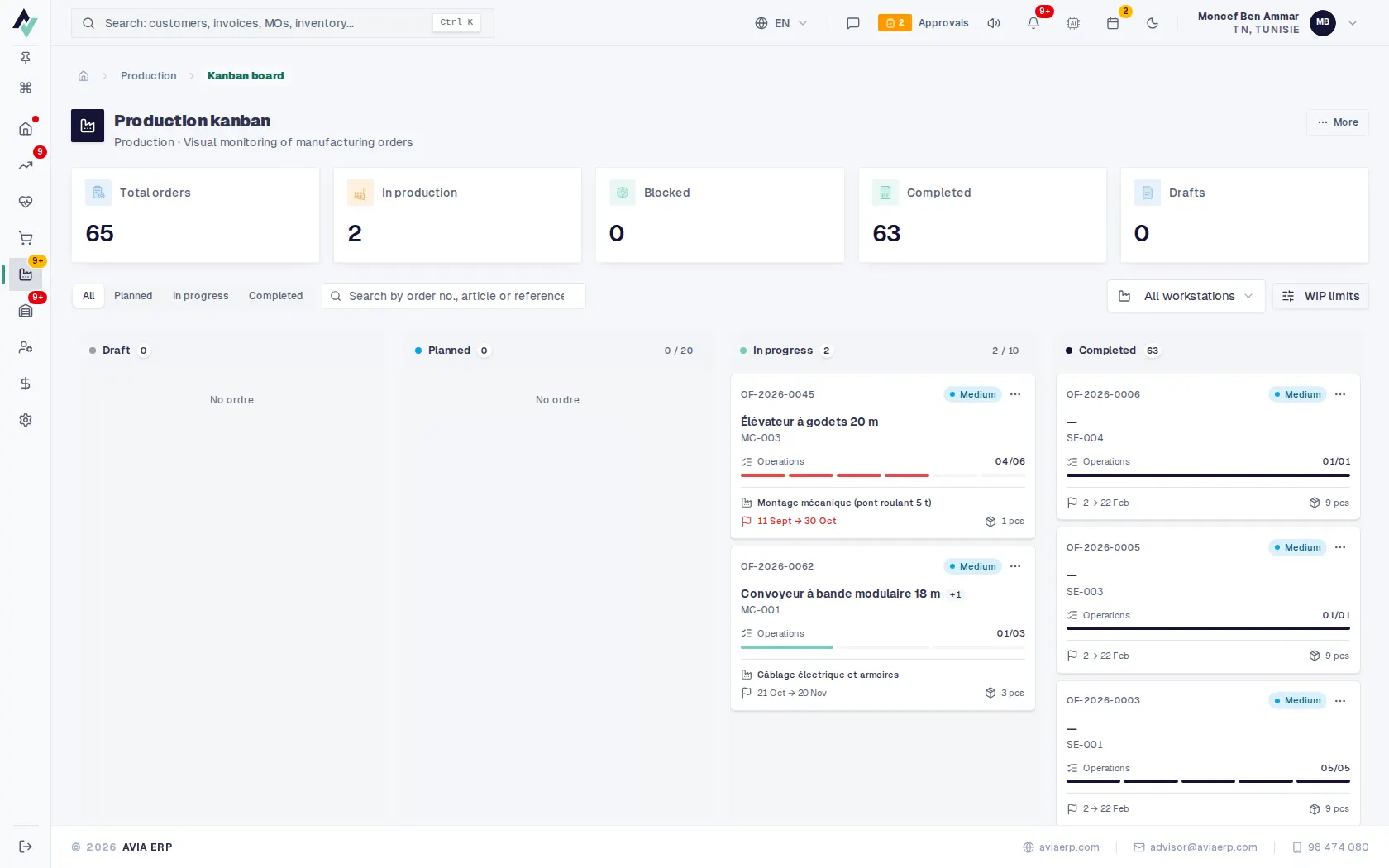
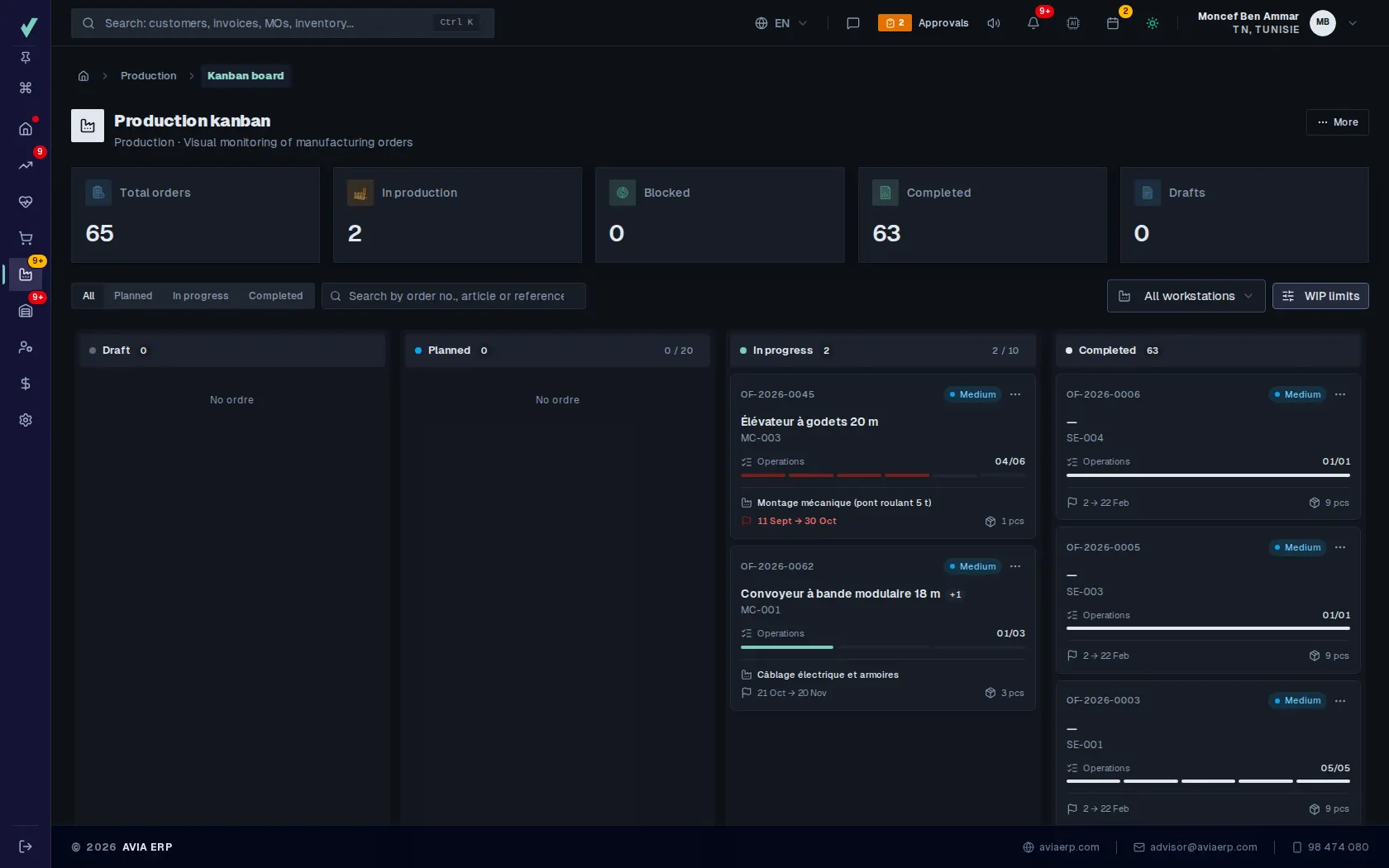
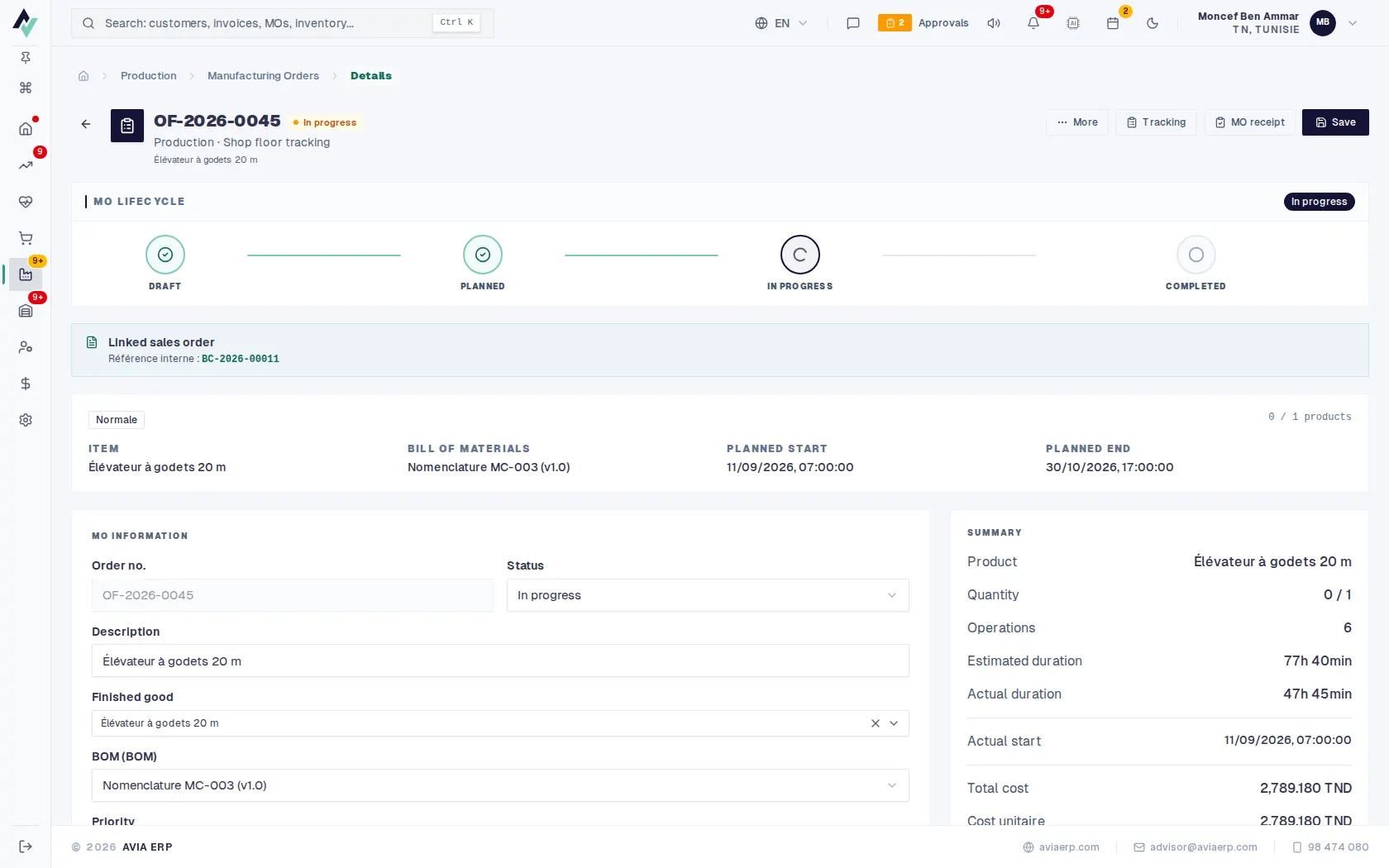
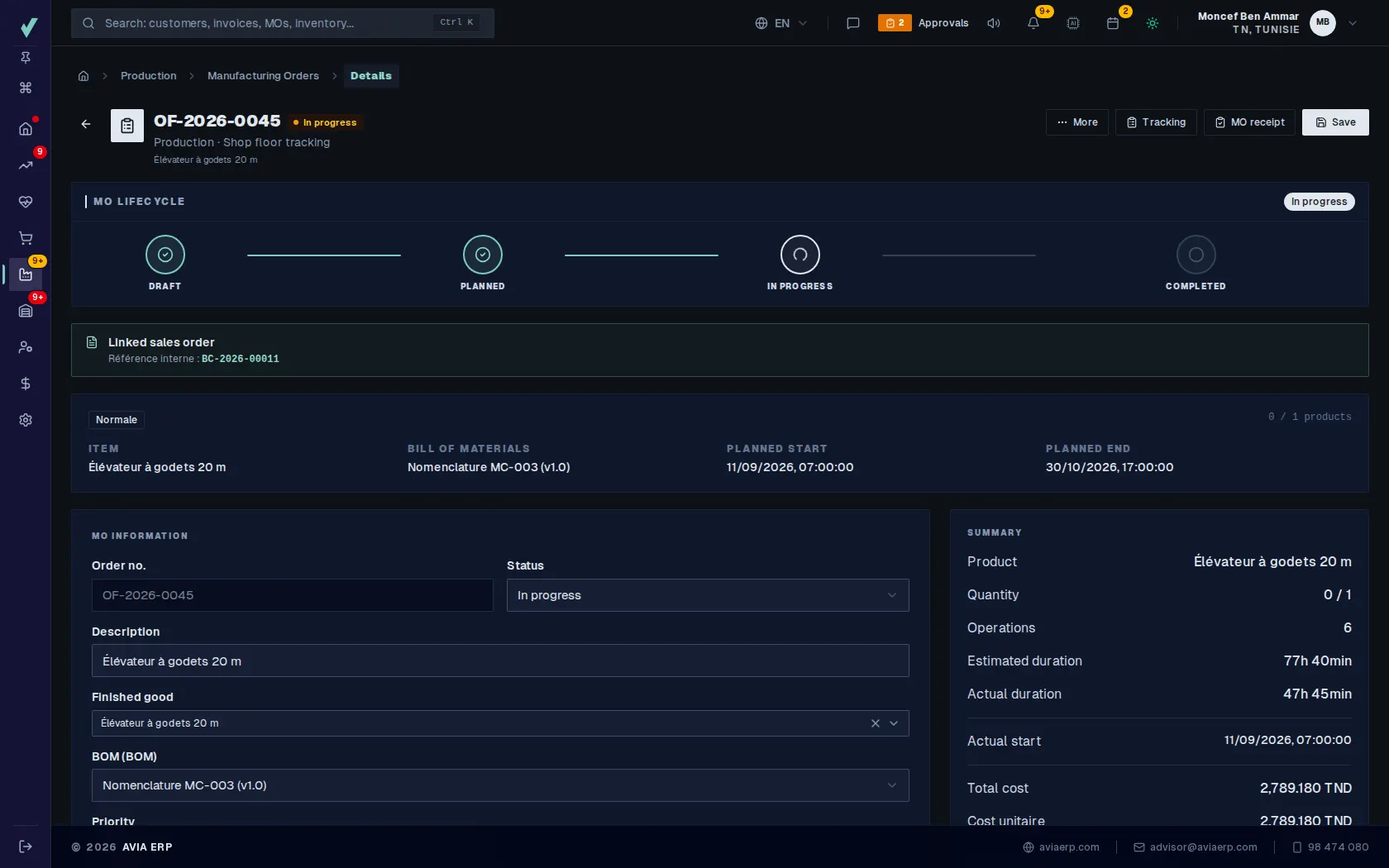
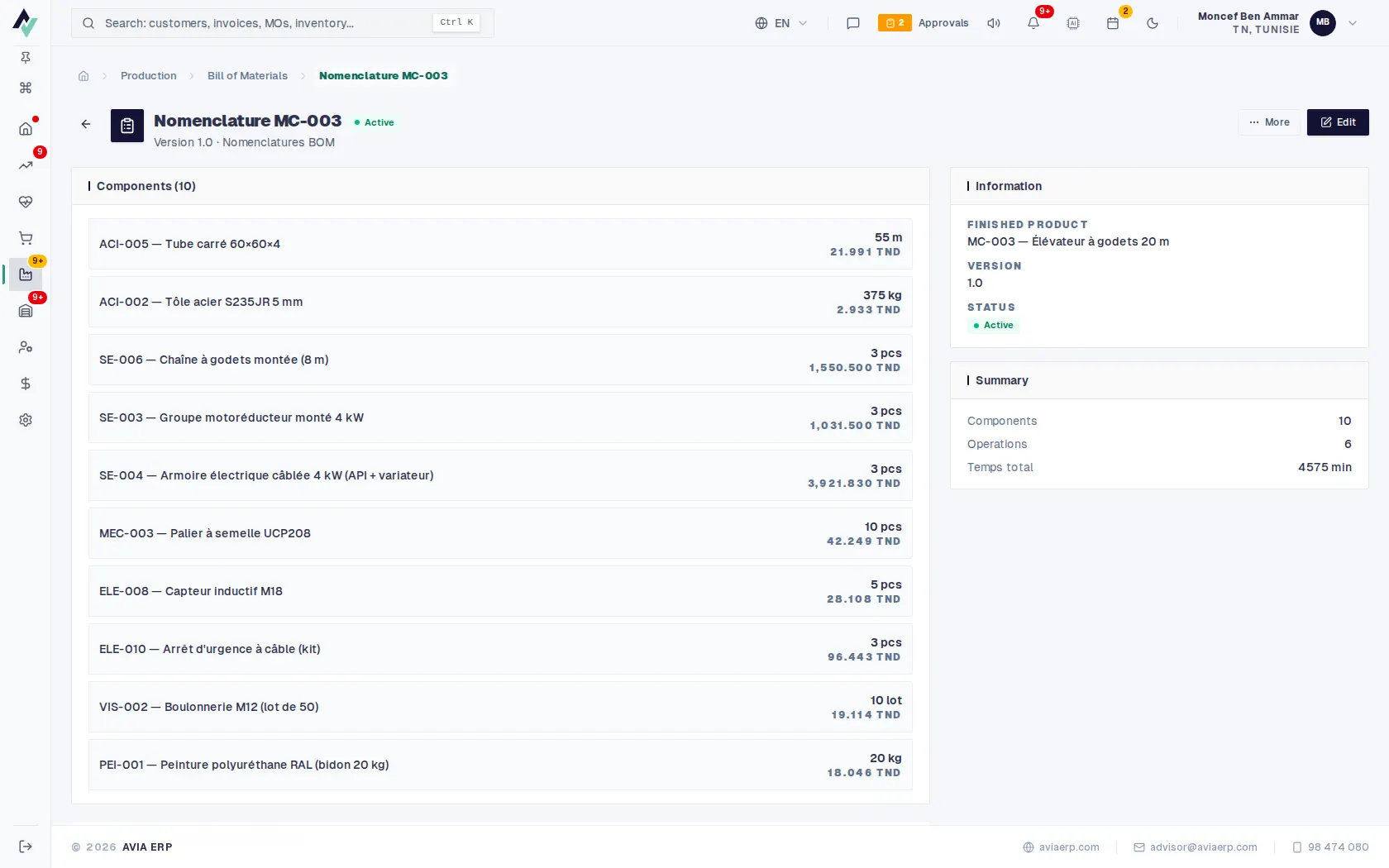
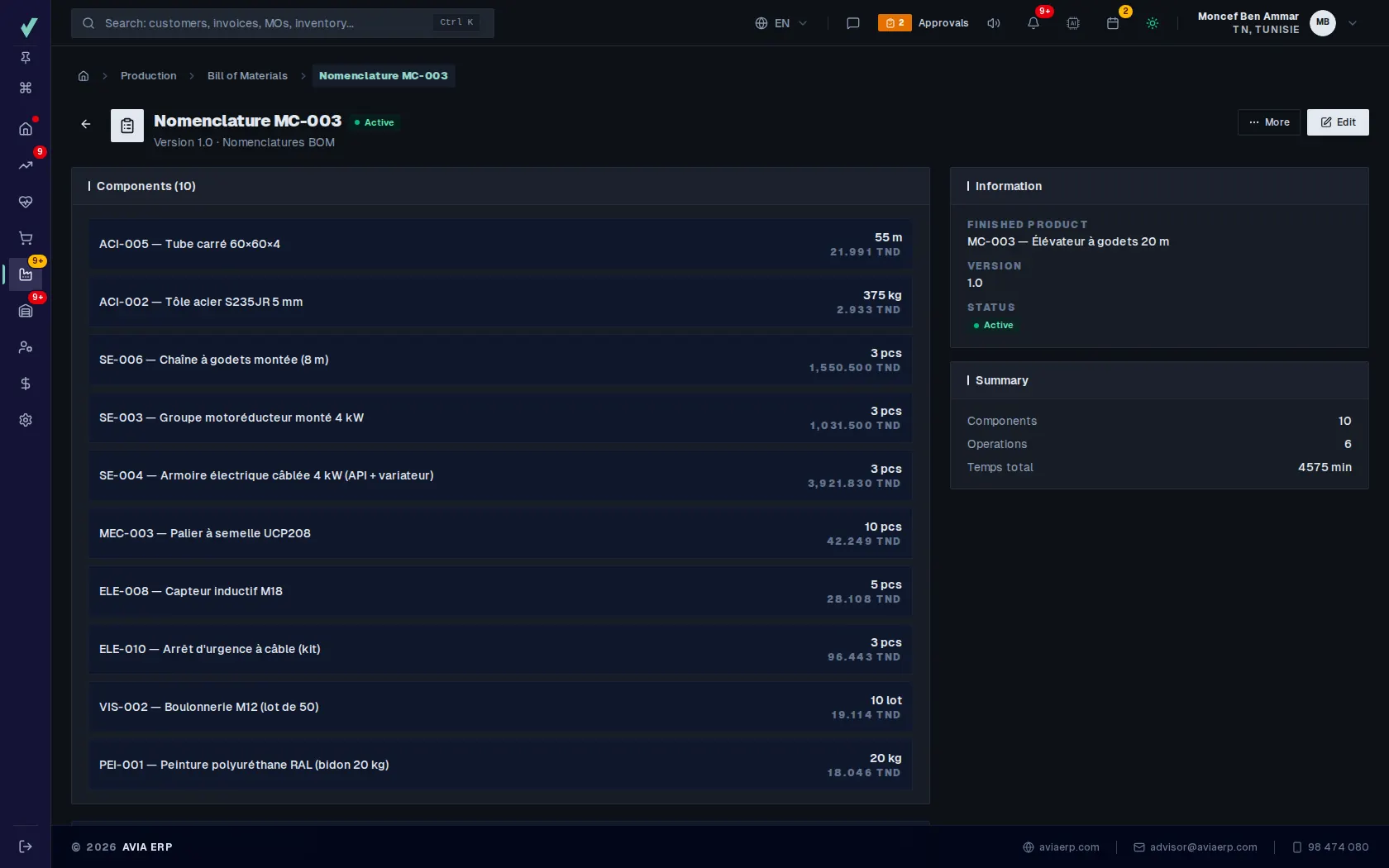
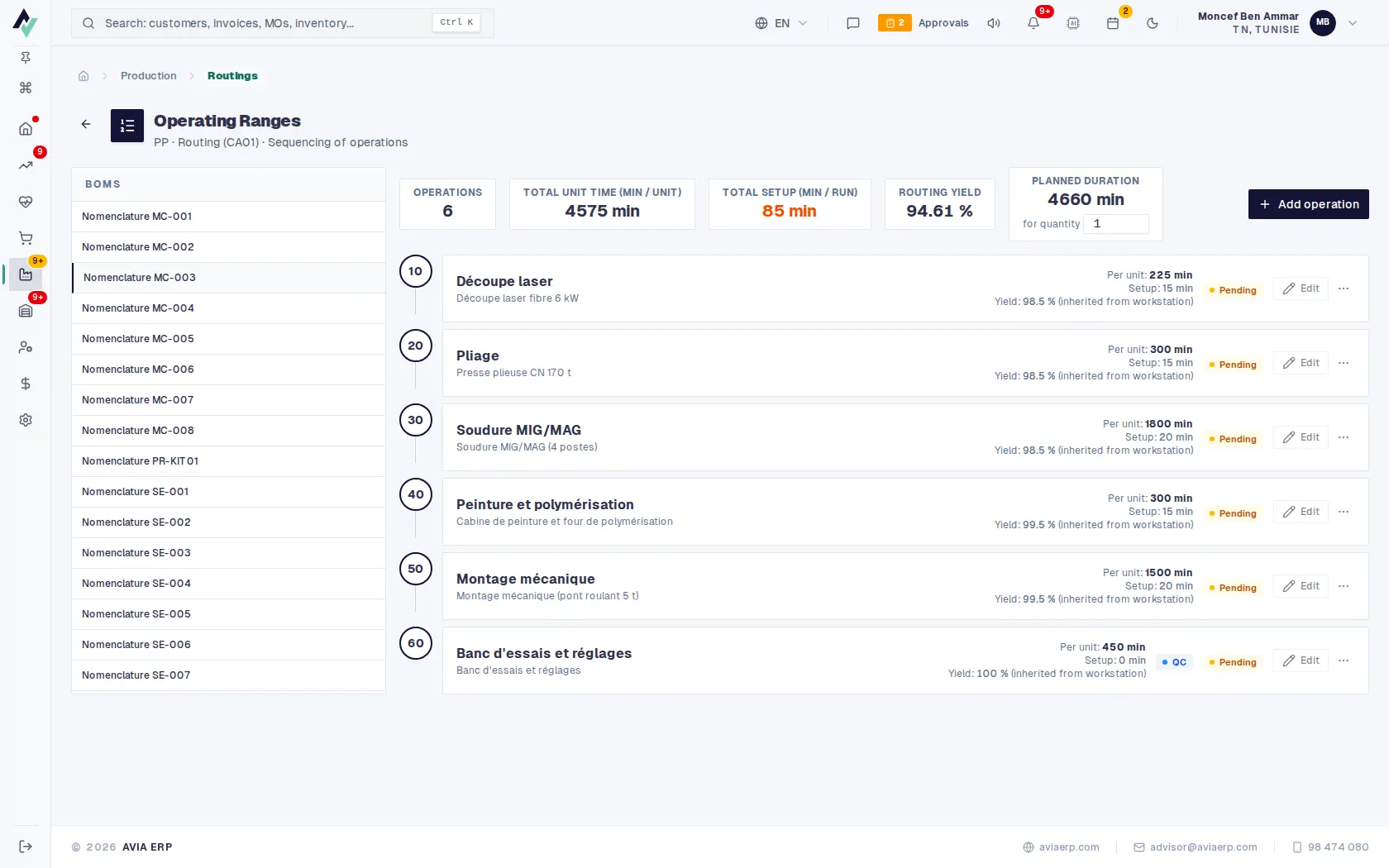
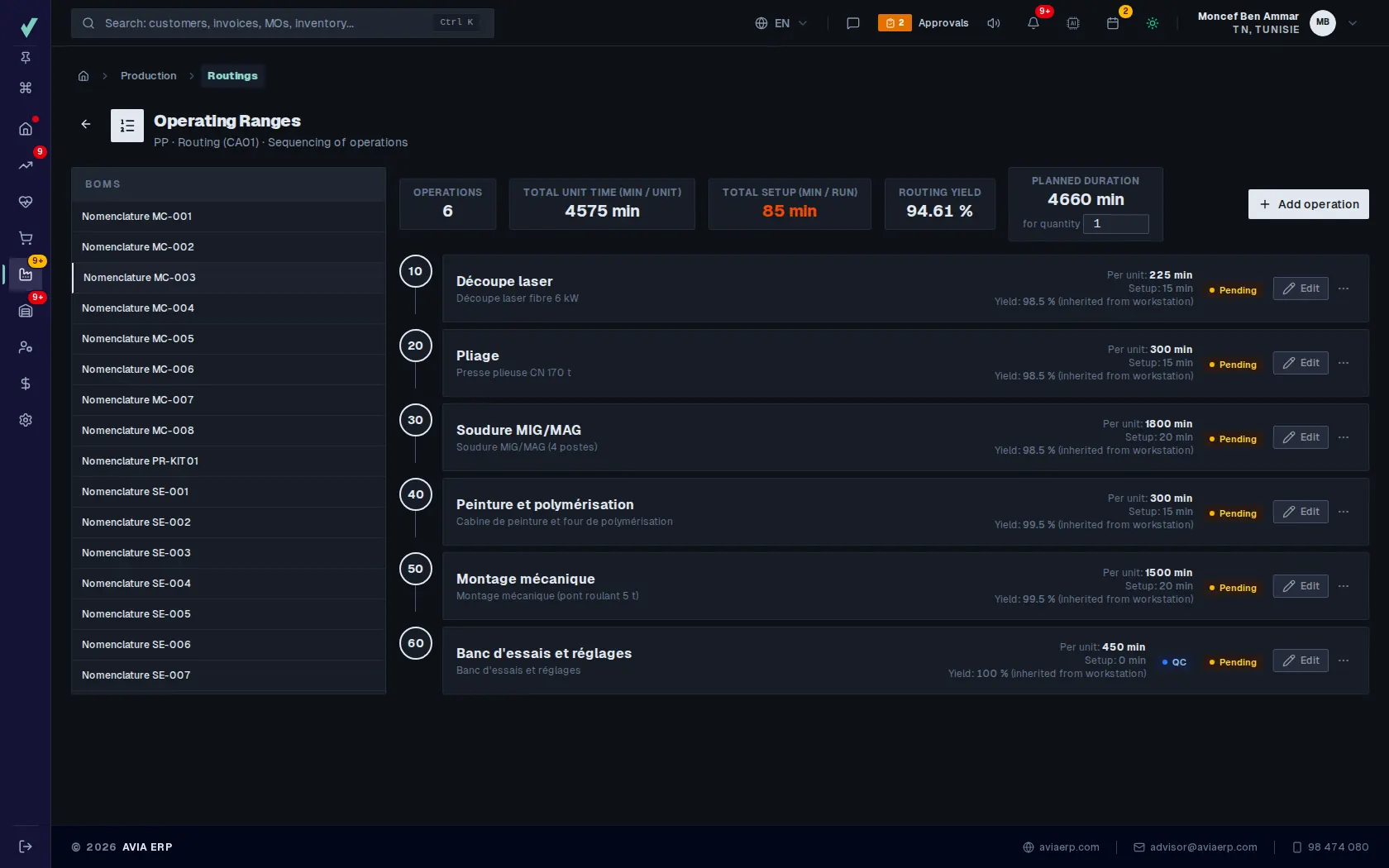
Four portal screens: the work order kanban, a work order sheet, the bill of materials and the routing.
Screenshots of the portal on a fictitious demonstration company, on a local test bench: the names and figures shown are sample data.
- Production › Kanban board
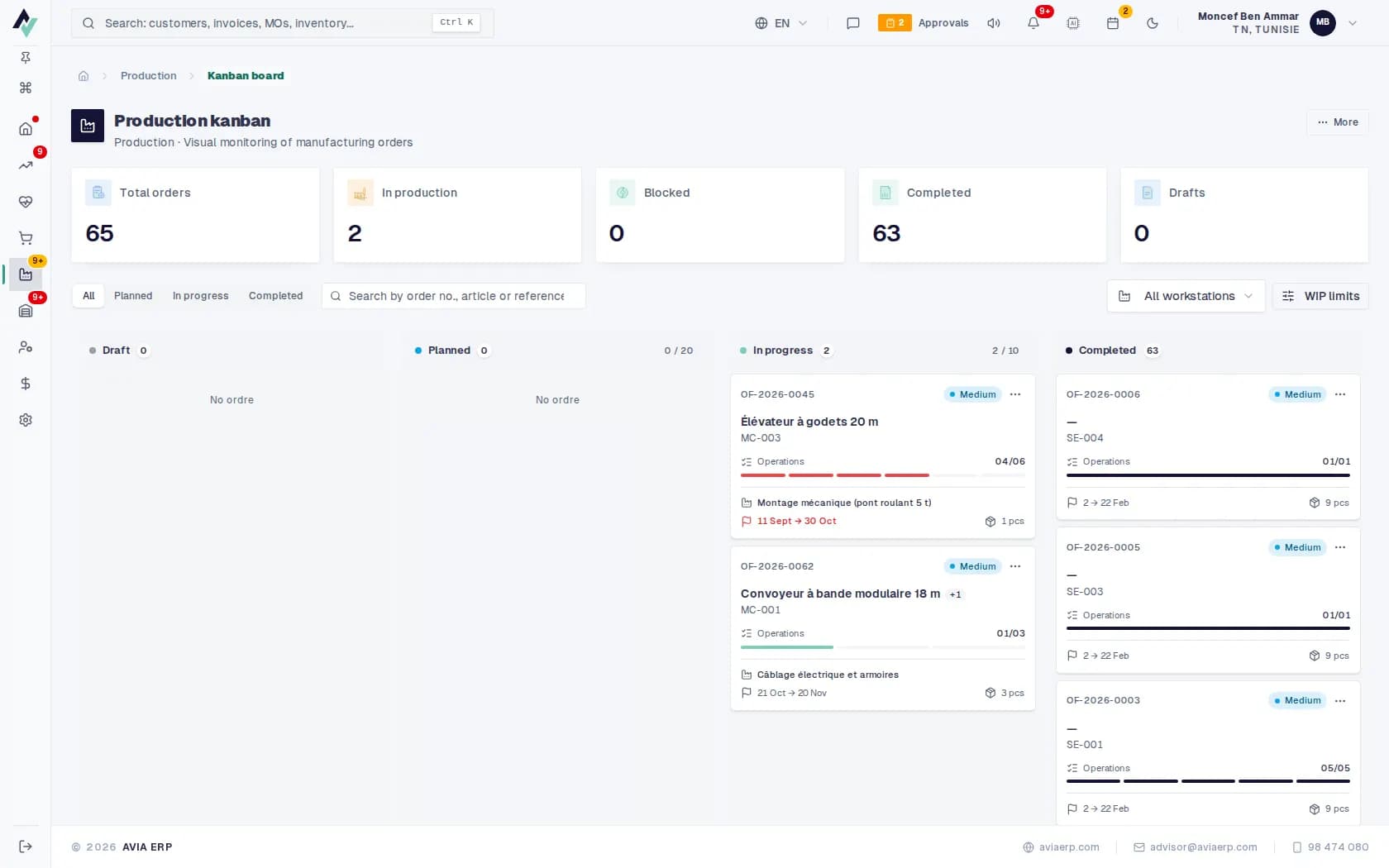
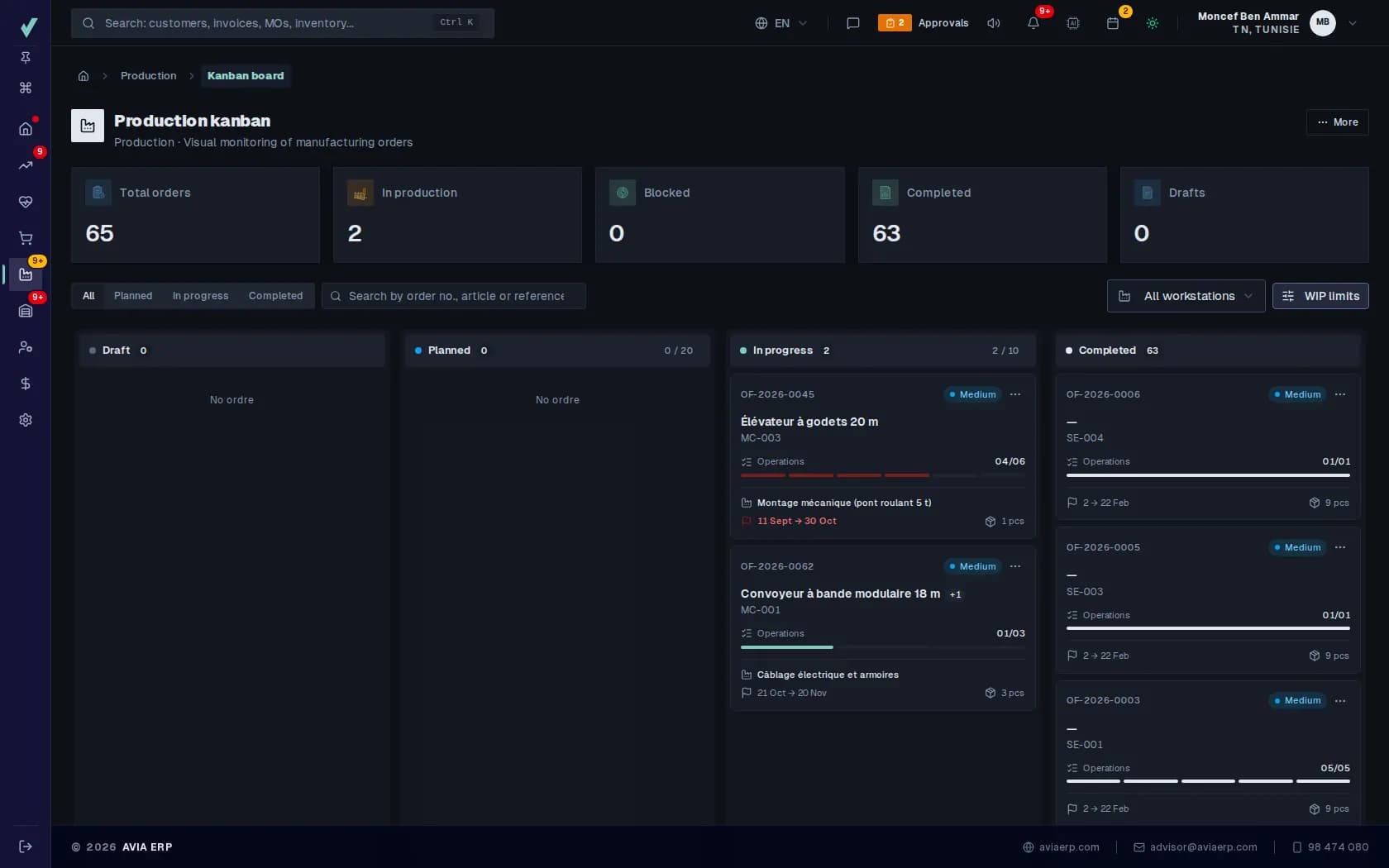
Manufacturing orders in columns by status, with operation progress and a work-in-progress limit per column. - Production › Manufacturing Orders › Details
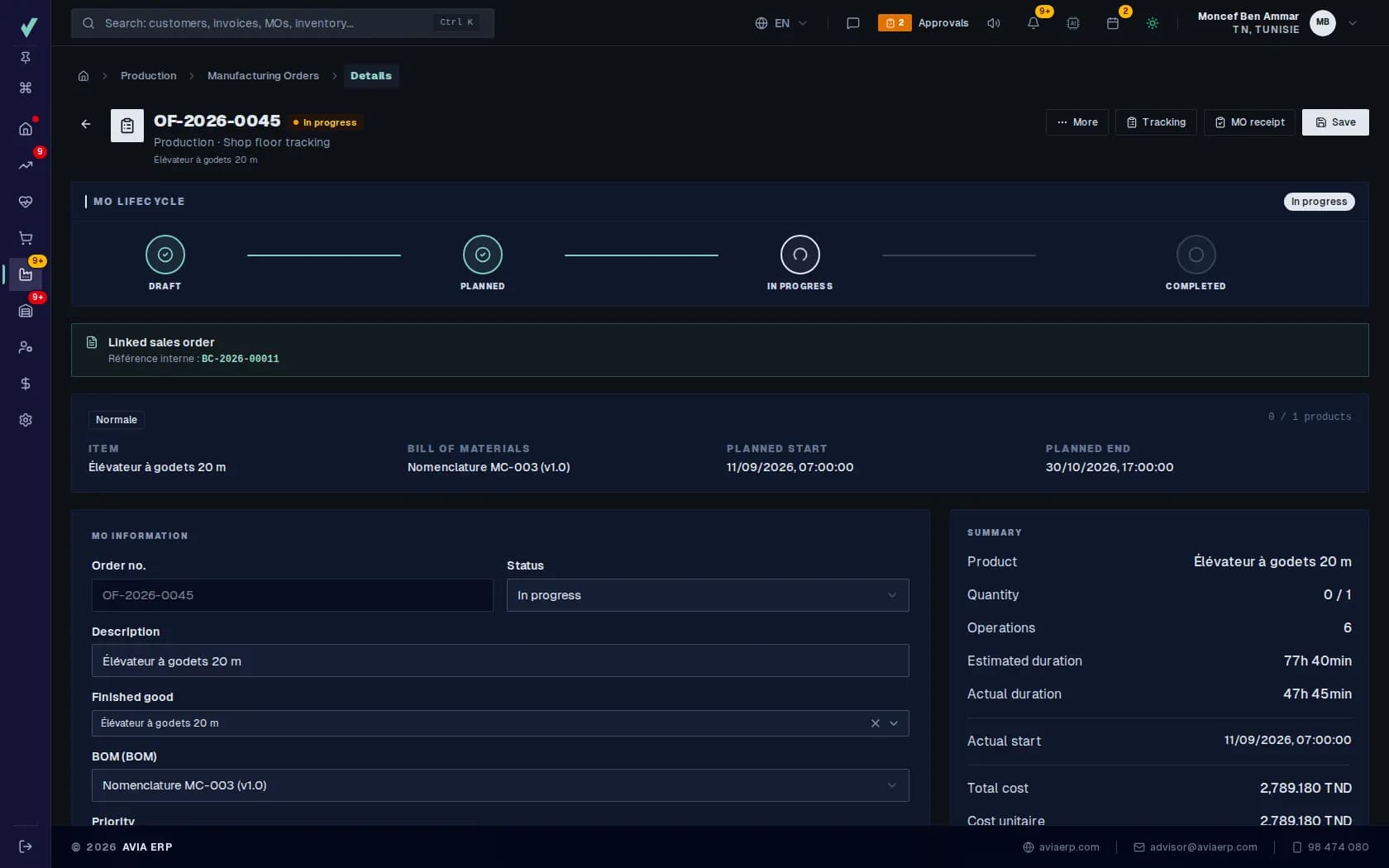
A manufacturing order: its life cycle, its bill of materials, estimated and actual durations and the order cost. - Production › Bill of Materials
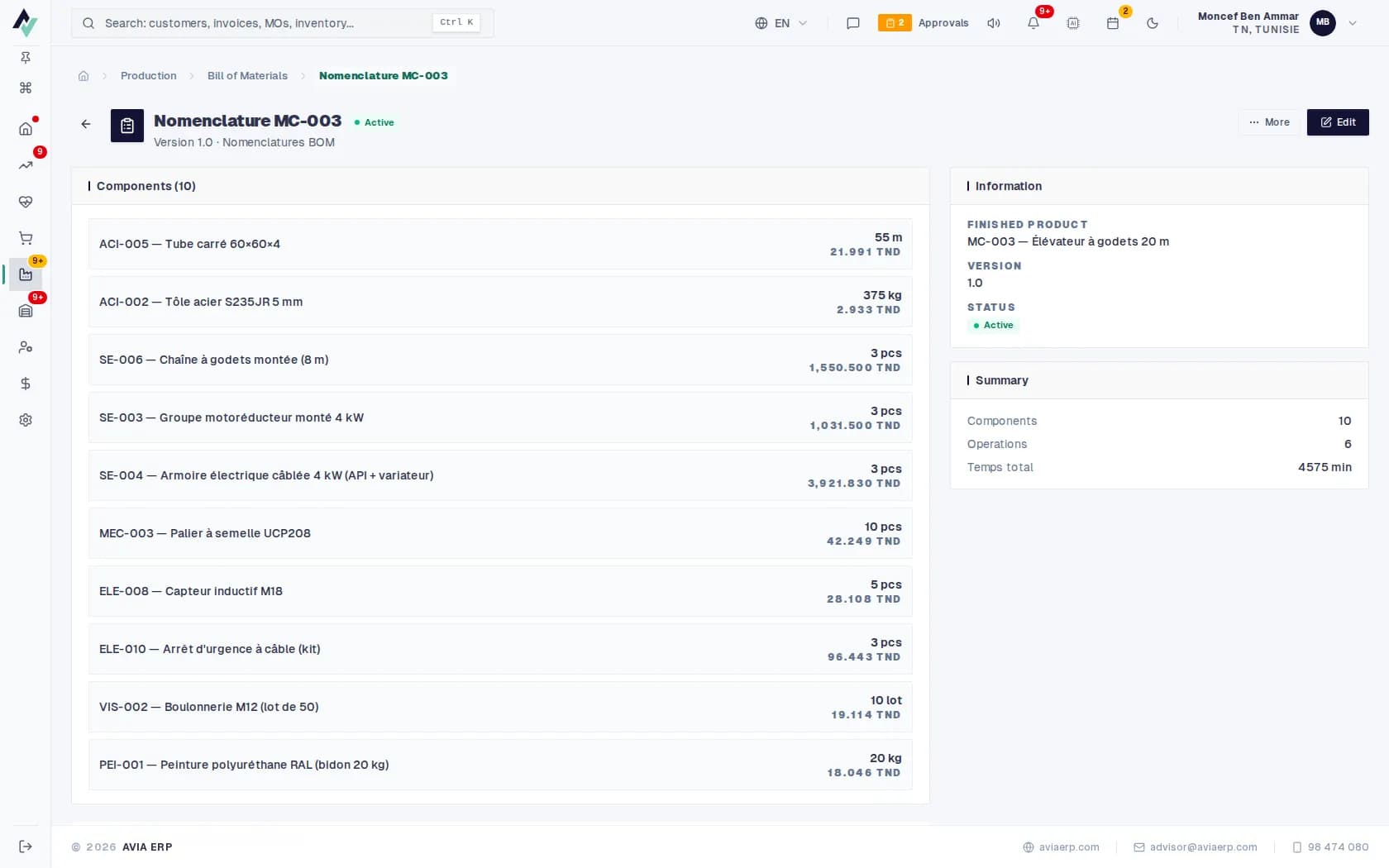
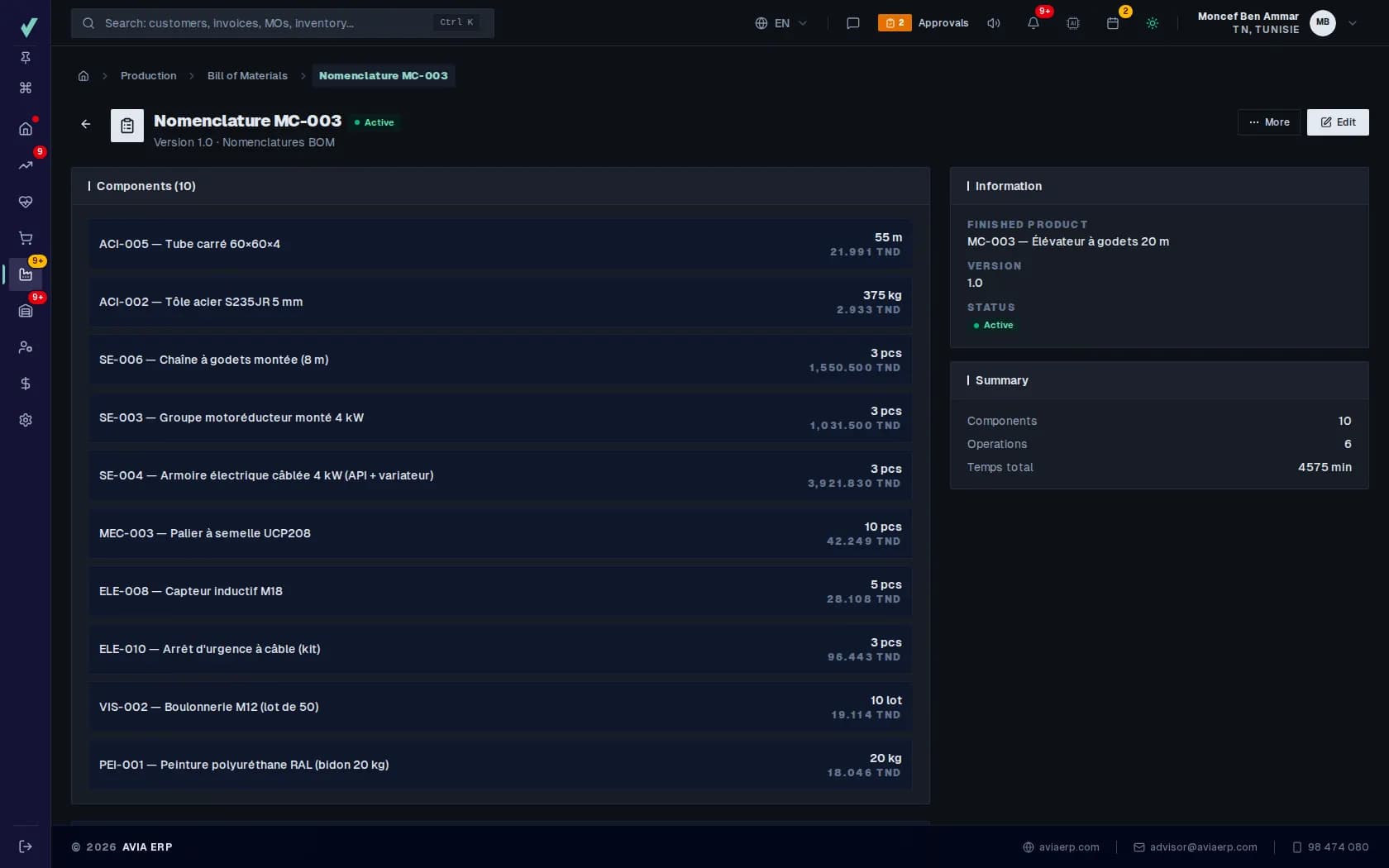
The bill of materials of a finished product: components, quantities and costs, tied to a version. - Production › Routings
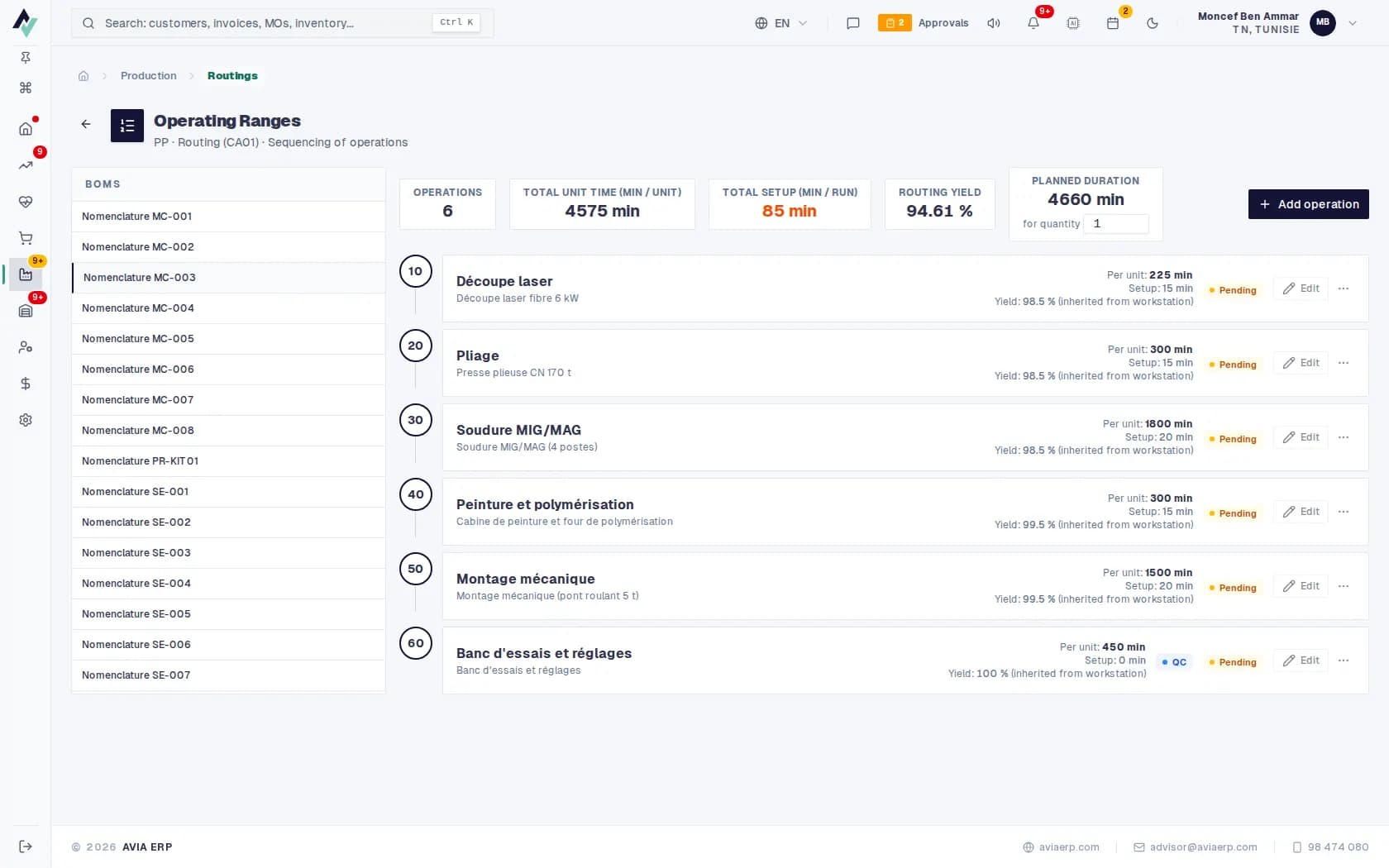
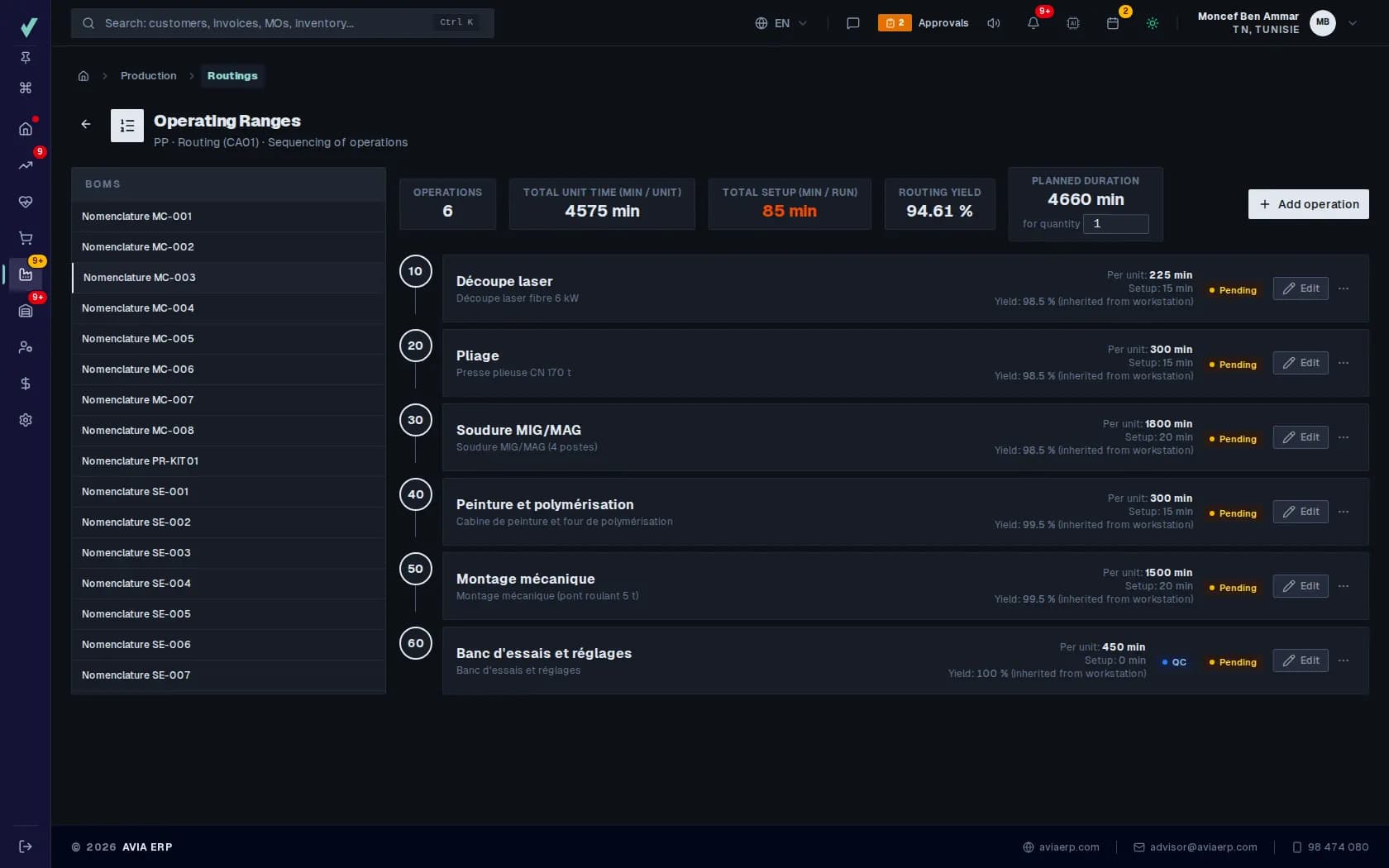
The routing of a bill of materials: operations sequenced by workstation, with unit time, setup time and yield inherited from the workstation.
From ERP to continuous improvement
What sets AVIA apart from a data-entry ERP: each link builds on the previous one, from the foundation to improvement.
- Industrial ERP : One foundation: production, inventory, purchasing, sales and quality share the same data.
- Business rules : Approval thresholds, mandatory controls, quality requirements: the consultant configures them, simulates them on 90 days of real documents, then activates them.
- Workflows : Approval steps, designated approvers, deadlines and escalation, triggered server-side.
- Data : Each sensitive change keeps the old value, the new one, the author and the date; fourteen risk indicators read the business data (supplier on-time delivery, breakdowns, buffer stock…).
- AI : The copilot answers in the context of the page, explains a rule refusal and guides step by step; it never writes without confirmation.
- Continuous improvement : The Lean modules (SMED study, 5S audit, improvement plan, included in the Enterprise pack) turn what you observe into tracked actions.
What depends on the pack
Not every module is in every pack. Better to know before choosing.
- Essentiel: quotes and invoicing, work orders, inventory and lot traceability, purchasing.
- Professionnel: everything in Essentiel, plus quality and OEE, maintenance (CMMS), shop-floor mobile app, B2B customer portal, treasury, MRP and planning.
- Enterprise: everything in Professionnel, plus accounting, Lean modules, stock by warehouse and accounting consolidation, dedicated environment, customisation.
- On-Premise, on quotation: the software is installed on your infrastructure and you keep your data residency.
How it is deployed
Deployment takes 2 to 4 weeks for the Essentiel and Professionnel packs, and 6 to 12 weeks for Enterprise and On-Premise. The 45-minute industrial diagnostic lets you pick the pack on one of your real processes, before any commitment.
Going further
Three guides to choose and scope an industrial ERP, three sector entry points, and the product pages that detail each link.
Guides
Architecture
How to choose an industrial ERP: the 7-step method
9 min read
Production
Industrial Production Management: how an ERP aligns your shop floors and your margins
5 min read
Production
Industrial cost price: calculating it without going wrong
10 min read
Sectors
- The fifteen sectorsAerospace, automotive, medical devices, textile, machining, plastics and nine more: one page per sector.
- MachiningTight receiving tolerance, lot and serial traceability through to the delivered part.
- TextileTextile ERP and its series-production constraints.
Related pages
Frequently asked questions
What is an industrial ERP?
It is business software that covers the manufacturing trade itself — bills of materials, routings, work orders, lot traceability — on top of the usual purchasing, sales, inventory and accounting functions, all on the same data.
Which companies is AVIA ERP designed for?
Industrial SMEs and mid-sized manufacturers, primarily in Tunisia and the Maghreb. Fifteen sectors have a dedicated page with their standards: aerospace, automotive, medical devices, textile, machining, plastics, among others.
How does it differ from a general-purpose ERP?
A general-purpose ERP records. An industrial ERP must also understand manufacturing, and AVIA adds a layer of business rules the system checks itself: an exceeded threshold, a missing control or a closure without corrective action is refused with a clear message.
How long does deployment take?
2 to 4 weeks for the Essentiel and Professionnel packs, 6 to 12 weeks for the Enterprise and On-Premise packs. The actual time depends on the quality of the migrated data and your teams’ availability.
Can the AI change my data on its own?
No. The copilot answers, explains and guides, but creates or changes nothing without a confirmation click from the user.
Let’s look at AVIA on one of your processes. Forty-five minutes, one real process, a written summary.
Book an industrial diagnostic