Contents
Short answer
In AVIA, the environmental effort is run in Quality › Environment: register of aspects and impacts rated severity × frequency × lack of control (score and significance calculated by the server), waste register with a mandatory slip for hazardous waste, meters and readings compared with the previous month, and regulatory watch. Quantified objectives and CSR indicators live in the management review; for textile, an Oeko-Tex / BSCI rule pack is simulated before being applied. AVIA calculates no carbon footprint.
An environmental effort requires four things: knowing what impacts the workshop produces, measuring them, meeting its obligations and proving that it is improving. This article shows where each one happens in AVIA — which screen, which calculation held by the server, which rule — on a demonstration textile garment maker. AVIA is designed to support an ISO 14001 effort; it is not certified and replaces neither the audit nor your environmental analysis.
Before you start: where the module is
Everything sits in Quality › Environment (four tabs: Aspects and impacts, Waste, Consumption, Regulatory watch) and in Quality › Management review (tabs QSE objectives, CSR indicators and Standards). The tiles at the top of the Environment screen all come from a server calculation: the screen recomputes none of them.
1. Identify: the register of aspects and impacts
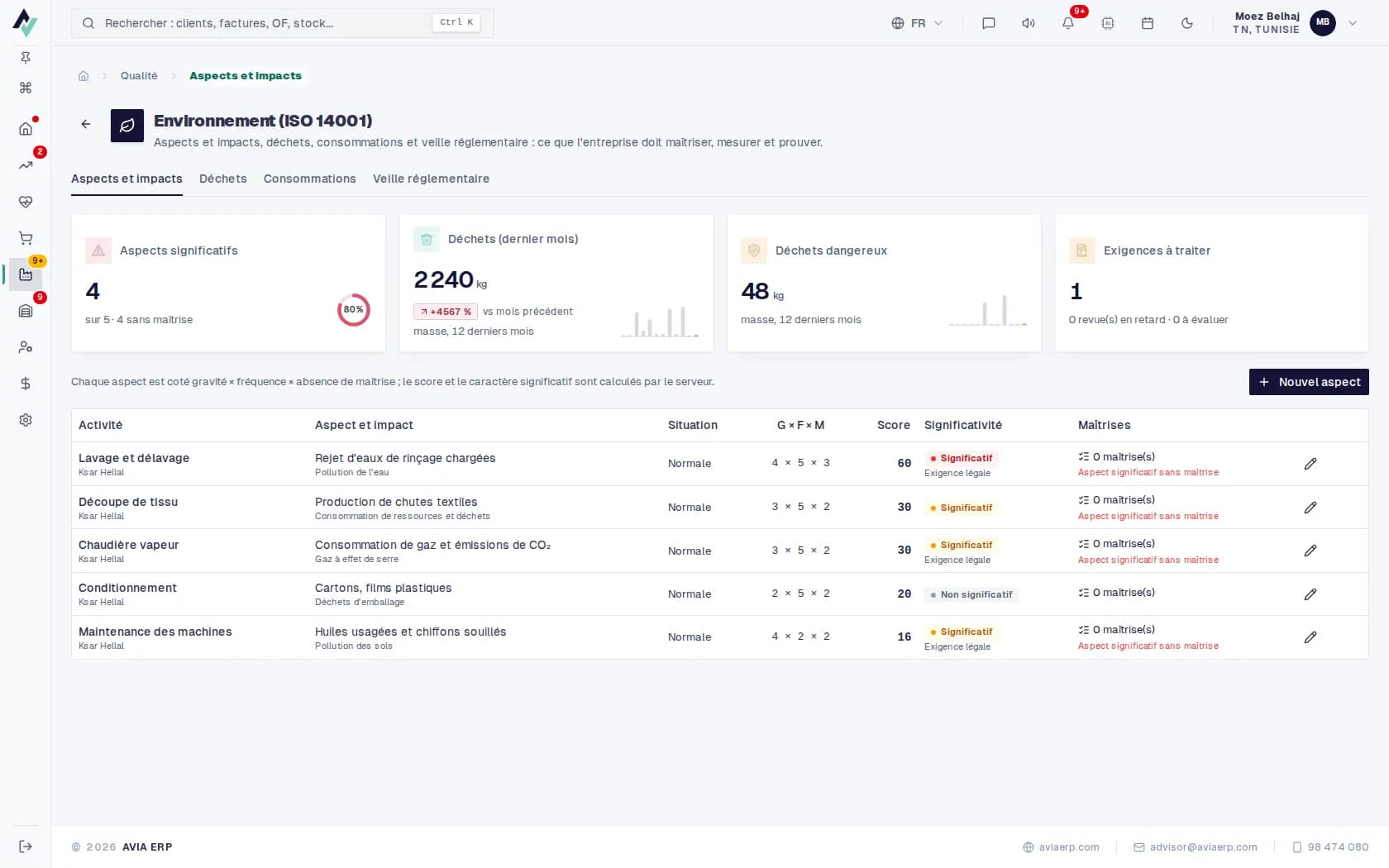
An aspect is what, in an activity, interacts with the environment: the discharge of a laundry, fabric offcuts, the boiler. For each one, you describe the activity, the aspect, the impact and the situation (normal, abnormal, emergency), then rate it on three scales from 1 to 5: severity, frequency and lack of control. The server calculates the score (the product of the three) and decides whether it is significant: from 30 by default, or automatically if the aspect falls under a legal requirement. You enter neither the score nor the verdict.
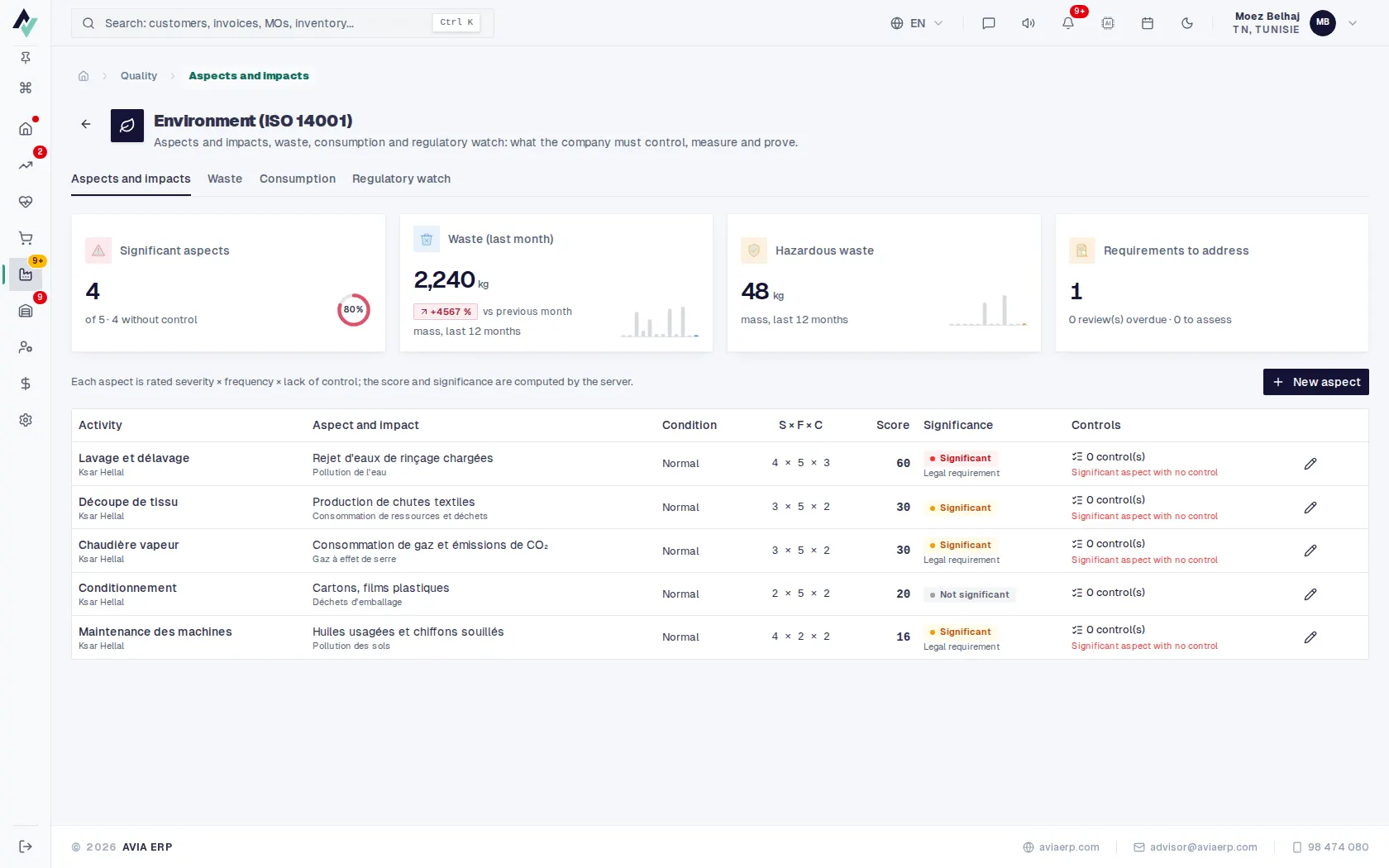
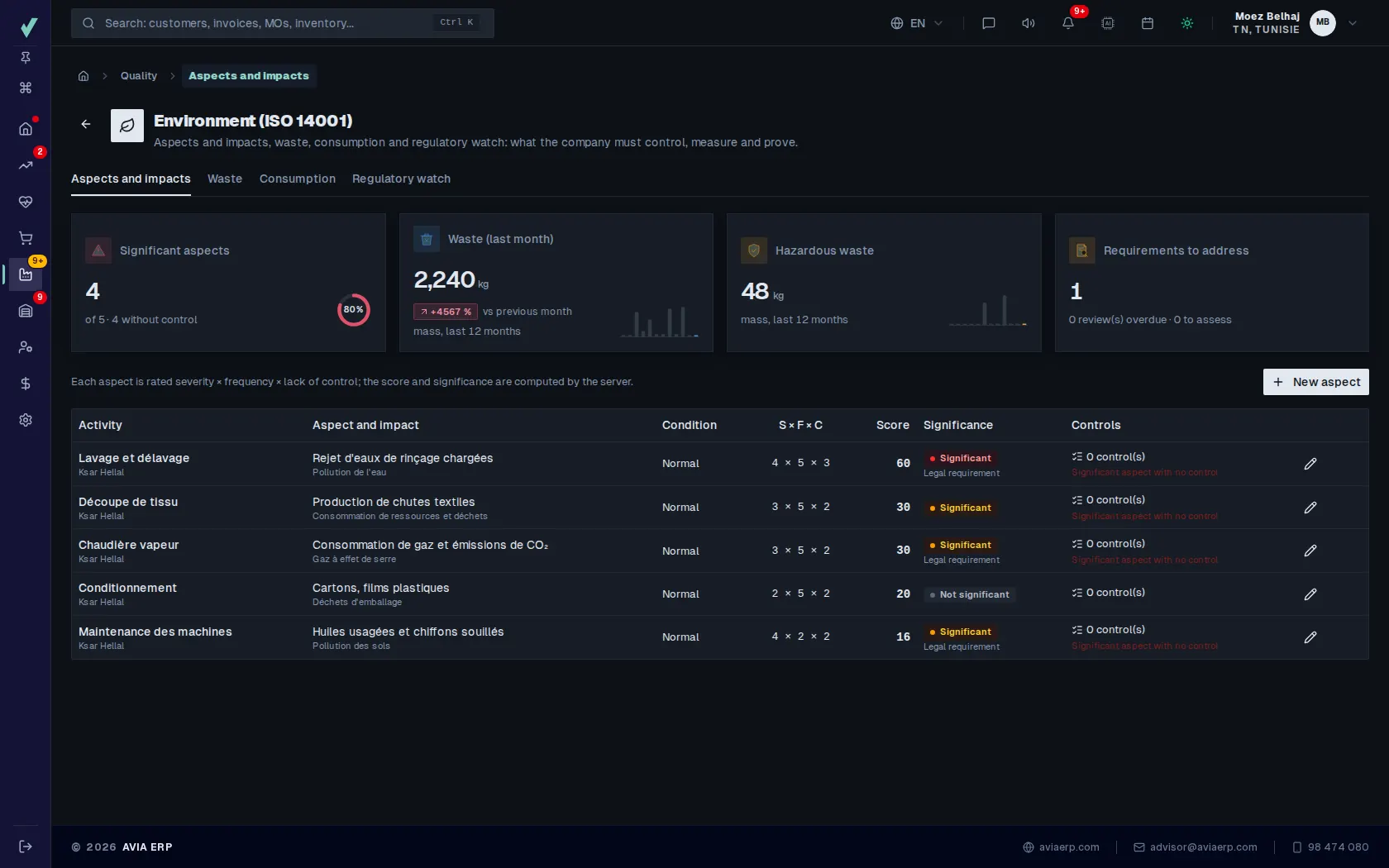
The register immediately asks the right question: a significant aspect without a control is flagged in red on its row and counted in the first tile. A control is what the company puts in place — operational, monitoring, training or emergency preparedness — with a description, a due date and a status (planned, in progress, done, cancelled). An overdue control is flagged too.
2. Keep the waste register
One line per removal or production: nature, code from the European waste list (six digits, an asterisk if the waste is hazardous), quantity, unit, carrier, destination, treatment (recovery, recycling, reuse, incineration, landfill…). Two safeguards are held by the database, not by the screen: a code marked with an asterisk classifies the line as hazardous waste, and hazardous waste is refused without a tracking slip number.
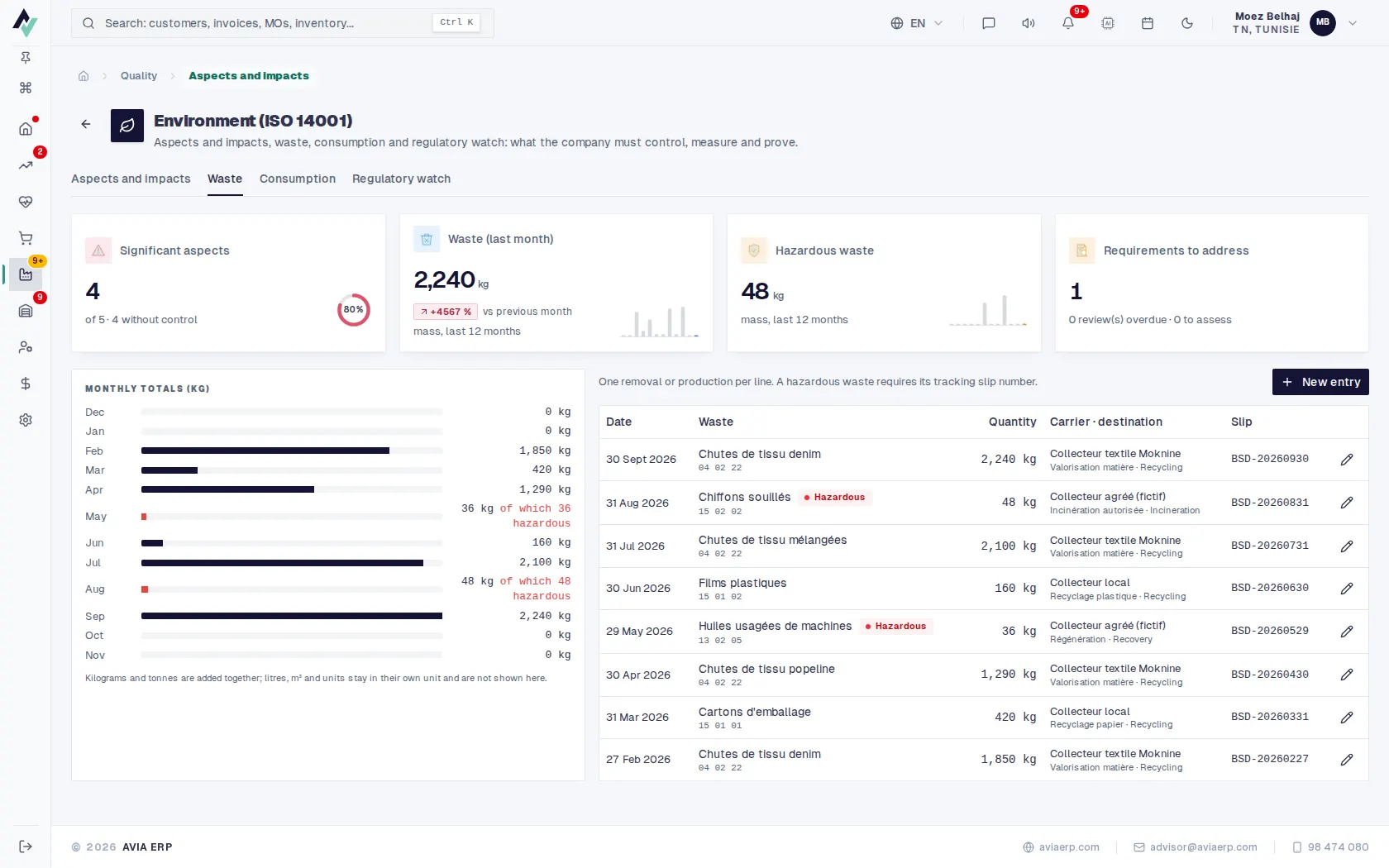
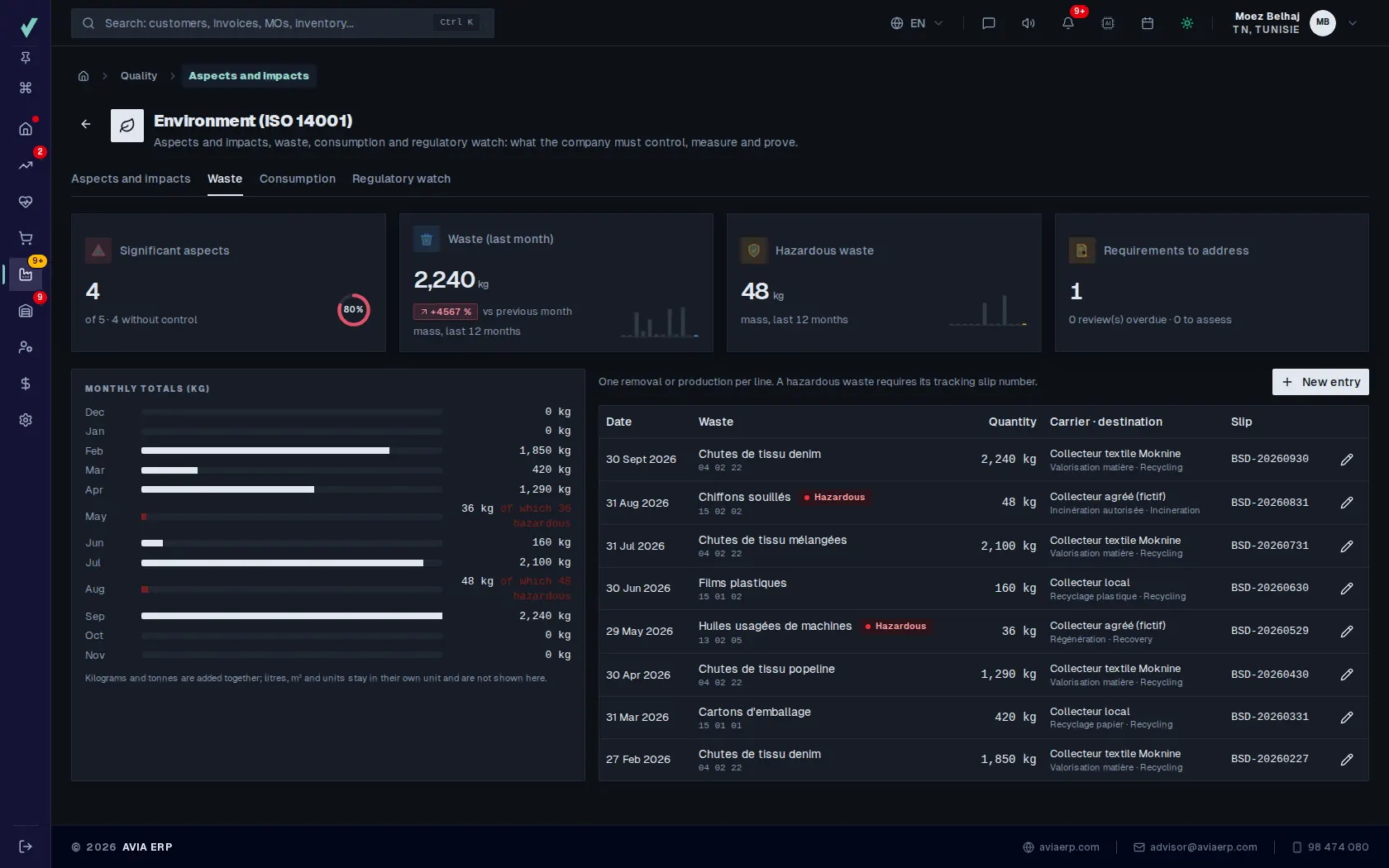
The monthly totals add up kilograms and tonnes; litres, cubic metres and units stay in their own unit and do not appear in this chart. The two tiles at the top (waste for the last month, hazardous waste) are compared with the previous month.
3. Measure energy and water: meters and readings
Declare one meter per measurement point (electricity, gas, water, fuel, steam) with its site and unit, then enter its readings: either the consumption for the period, or the meter index — consumption is then the difference from the previous index. An index lower than the previous reading is refused (meter replaced? enter the consumption), and the first reading of a meter cannot be an index alone.
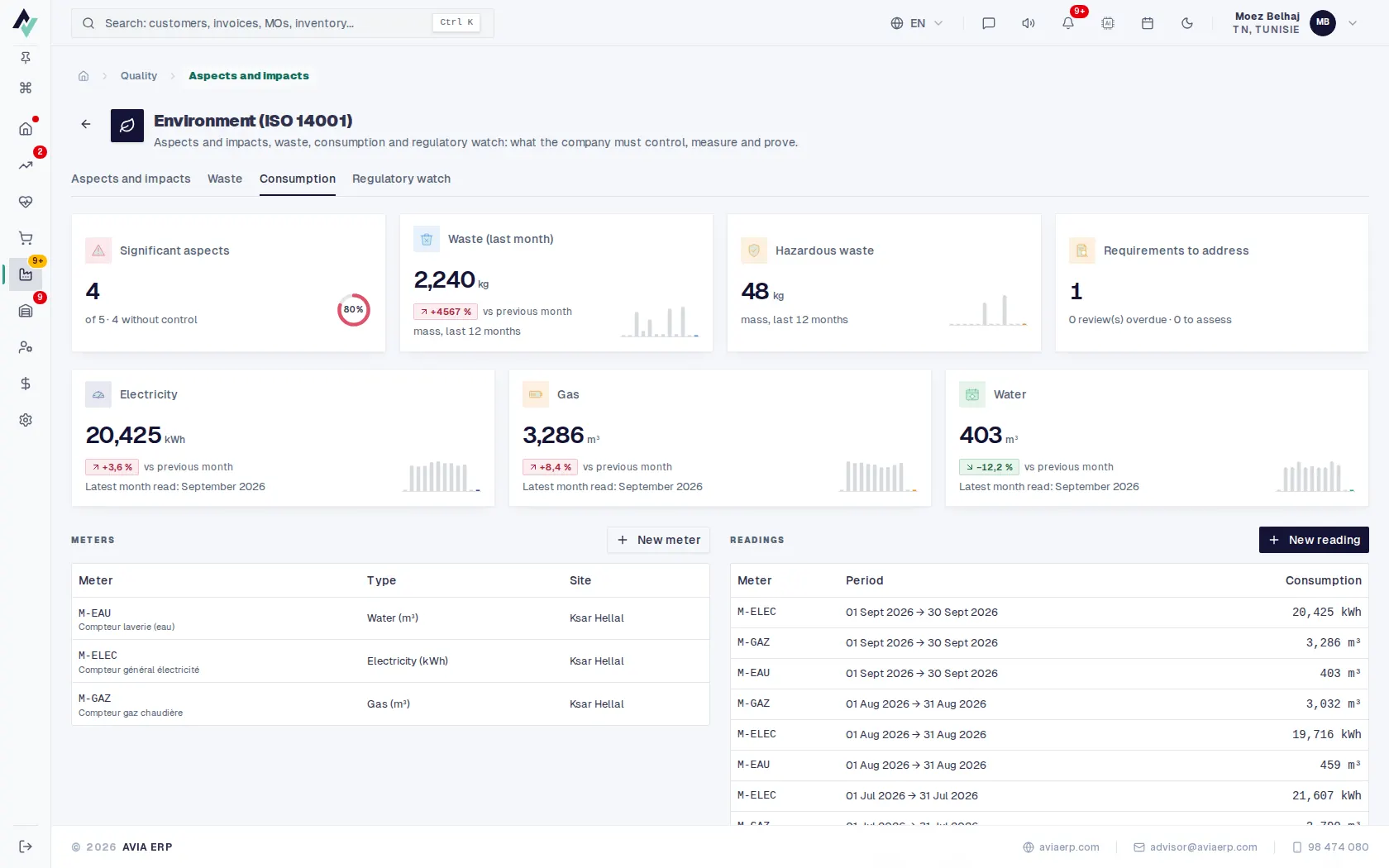
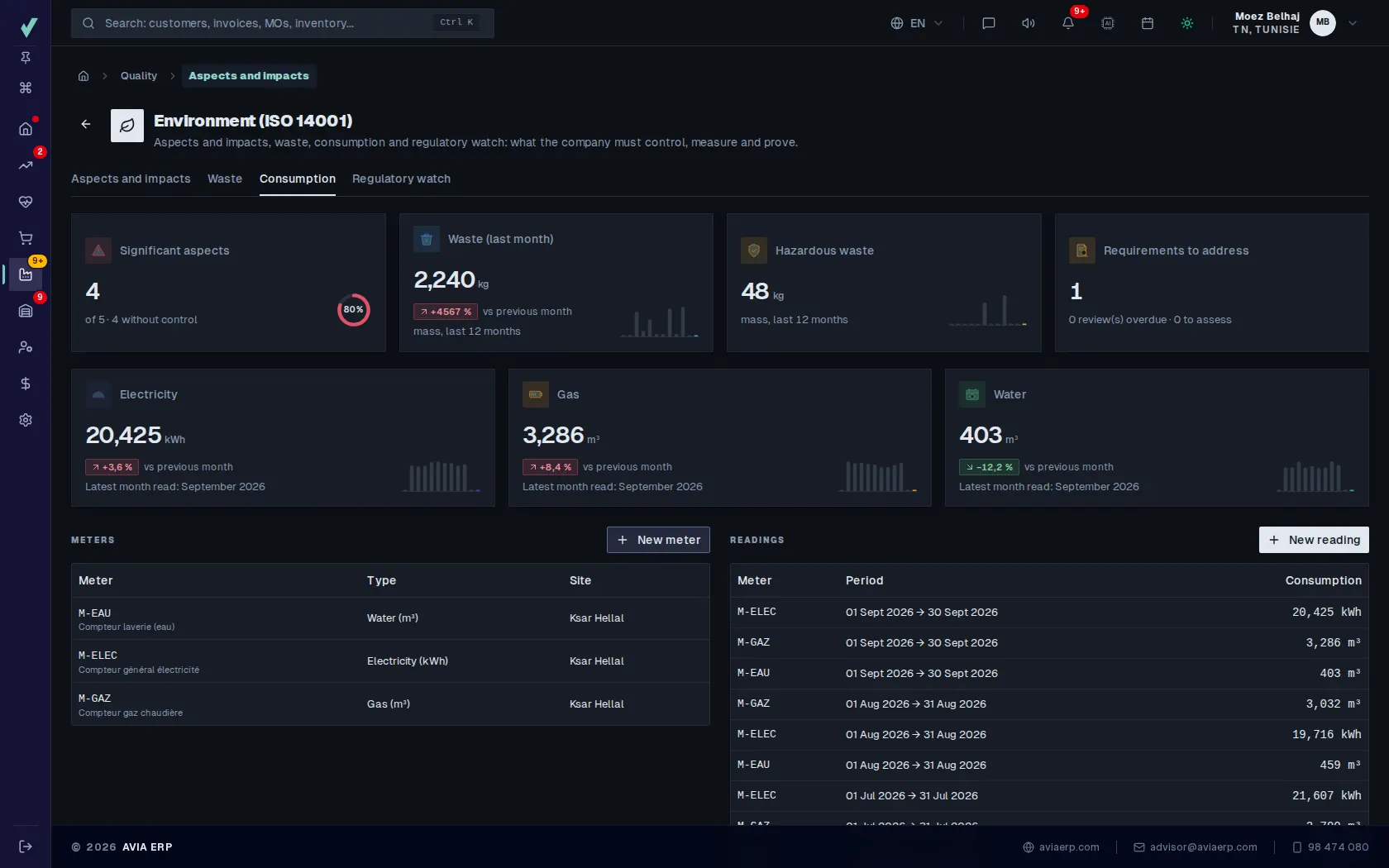
A reading that covers several months is spread over each of them in proportion to the days; the tile compares the last month read with the previous one (the current month, not yet billed, is not compared). When the history goes back more than twelve months, a line also gives the change over one year.
4. Track regulatory requirements
The Regulatory watch tab keeps the list of legal and other requirements: the text, its source and the authority, applicability (applicable, not applicable, to assess), compliance (compliant, partially compliant, non-compliant, to assess), the evidence and the date of the next review — set to twelve months after the last one if you do not provide it. A requirement can be attached to a target standard; the domain can be environment, safety, quality, good manufacturing practices or CSR.
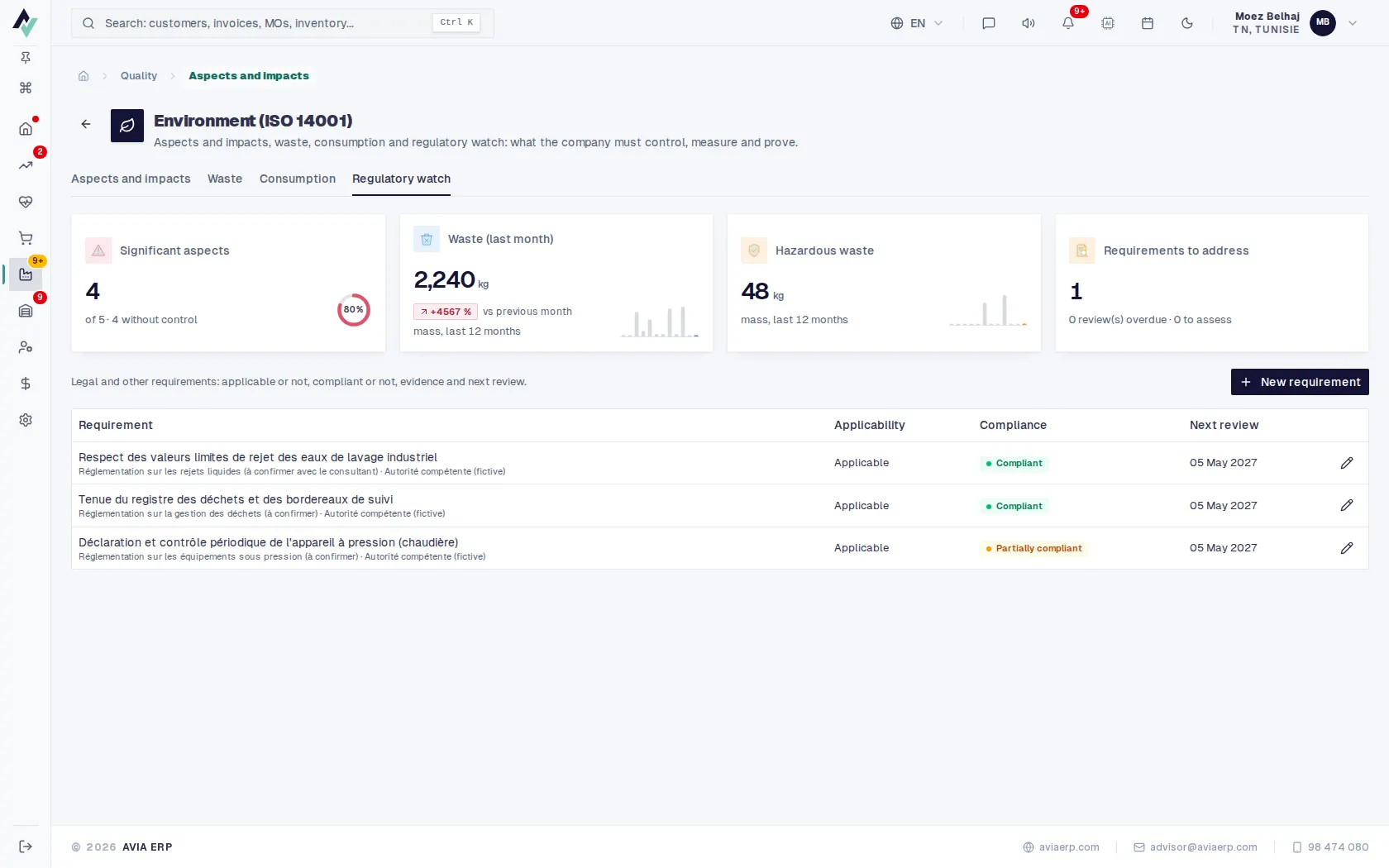
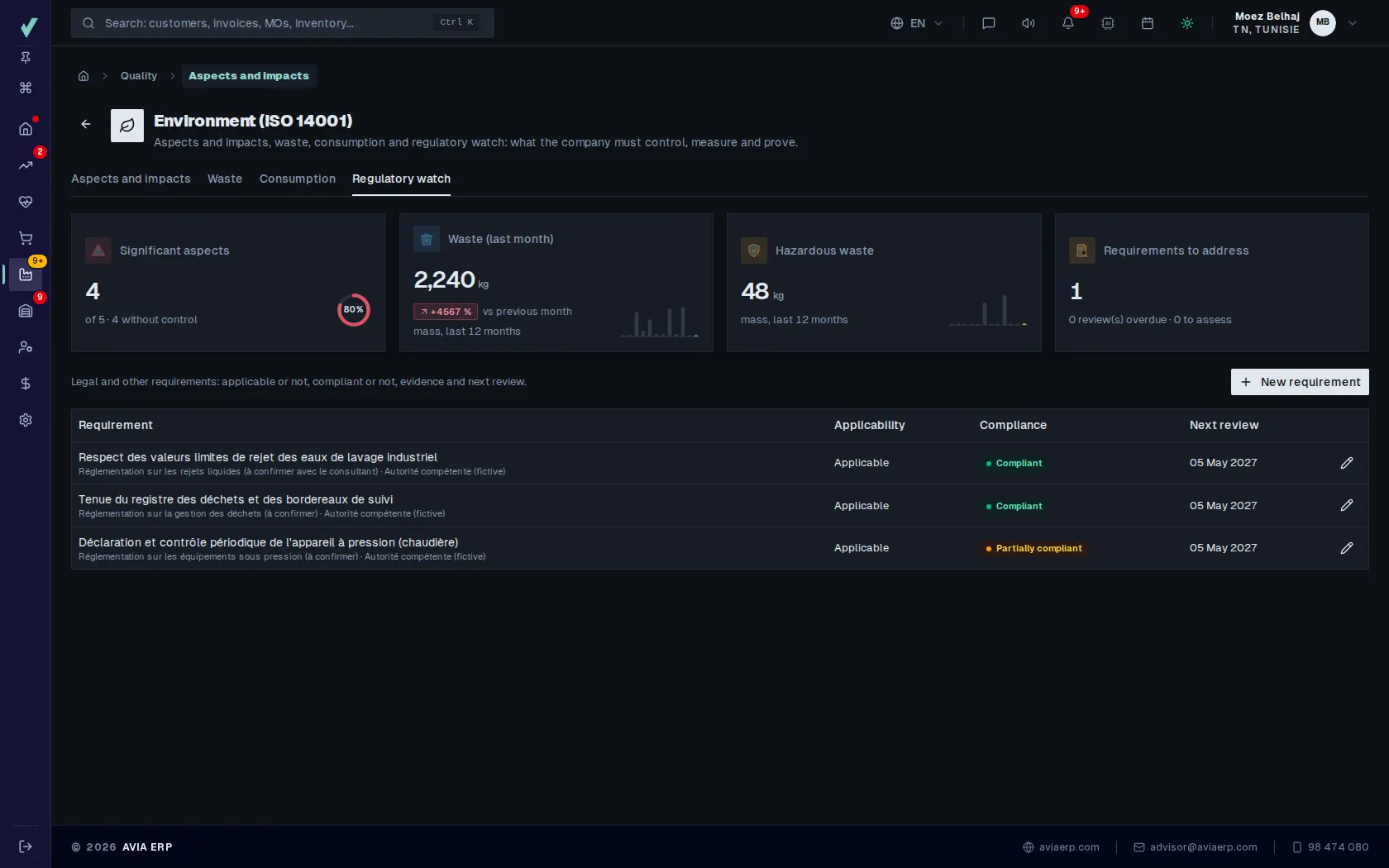
AVIA keeps the register and the due dates; it does not supply the texts. The content of the requirements, and their updating, remain the responsibility of your own watch.
5. Set quantified objectives
In Management review › QSE objectives, each objective has a standard (ISO 14001, 45001, 9001…), an indicator, a unit, a target, the favourable direction (higher or lower is better) and the year's actual. The result is calculated: “Achieved” if the actual is on the right side of the target, “Missed” otherwise. The actual remains an entry.
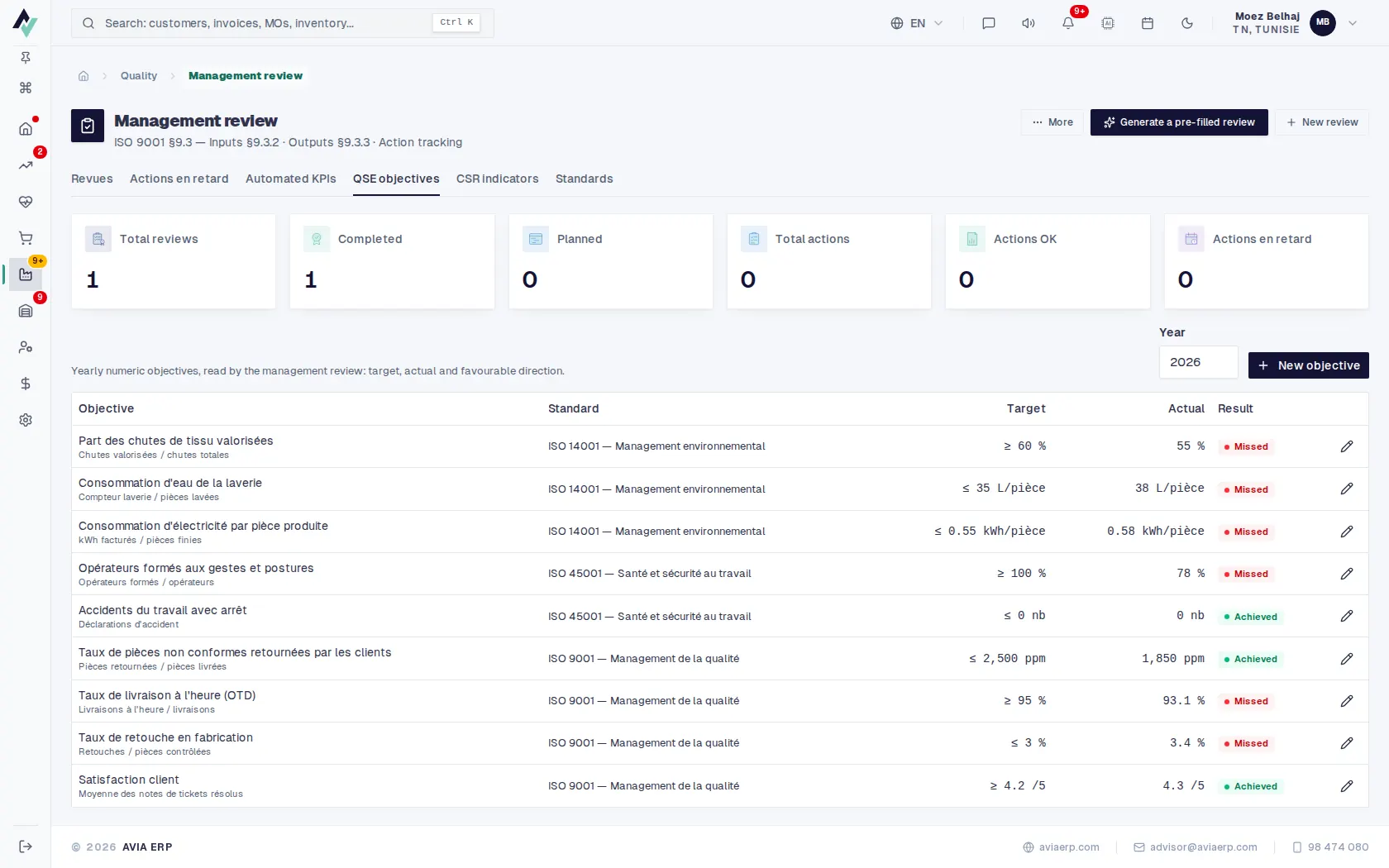
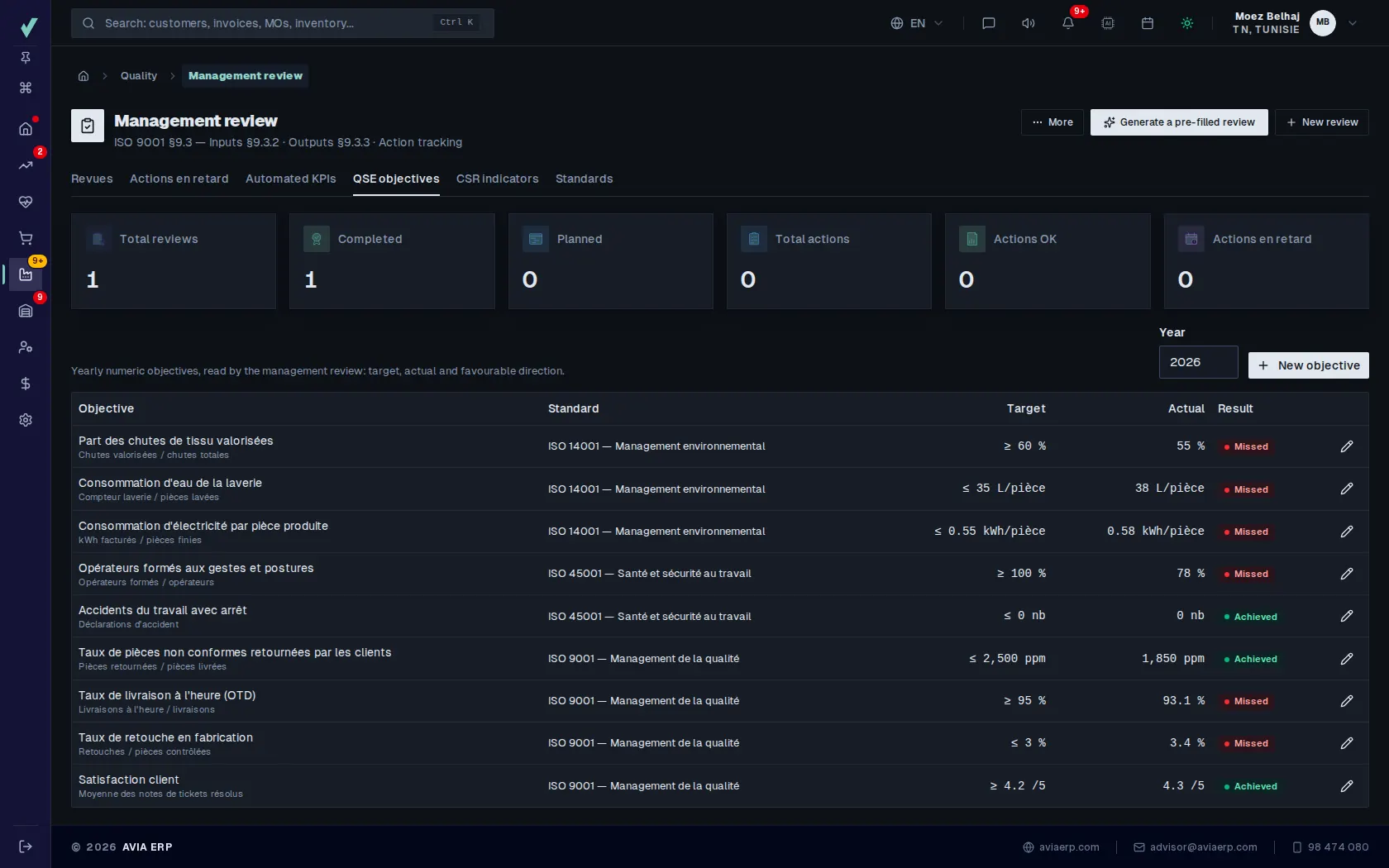
The pre-filled management review (the “Generate a pre-filled review” button) takes up these objectives in its “Achievement of QSE objectives” section and, for ISO 14001, an “Environmental performance” section with the significant aspects (and those without control), the waste of the period compared with the previous period, the hazardous share, the non-compliant requirements and the consumption.
6. Follow CSR indicators
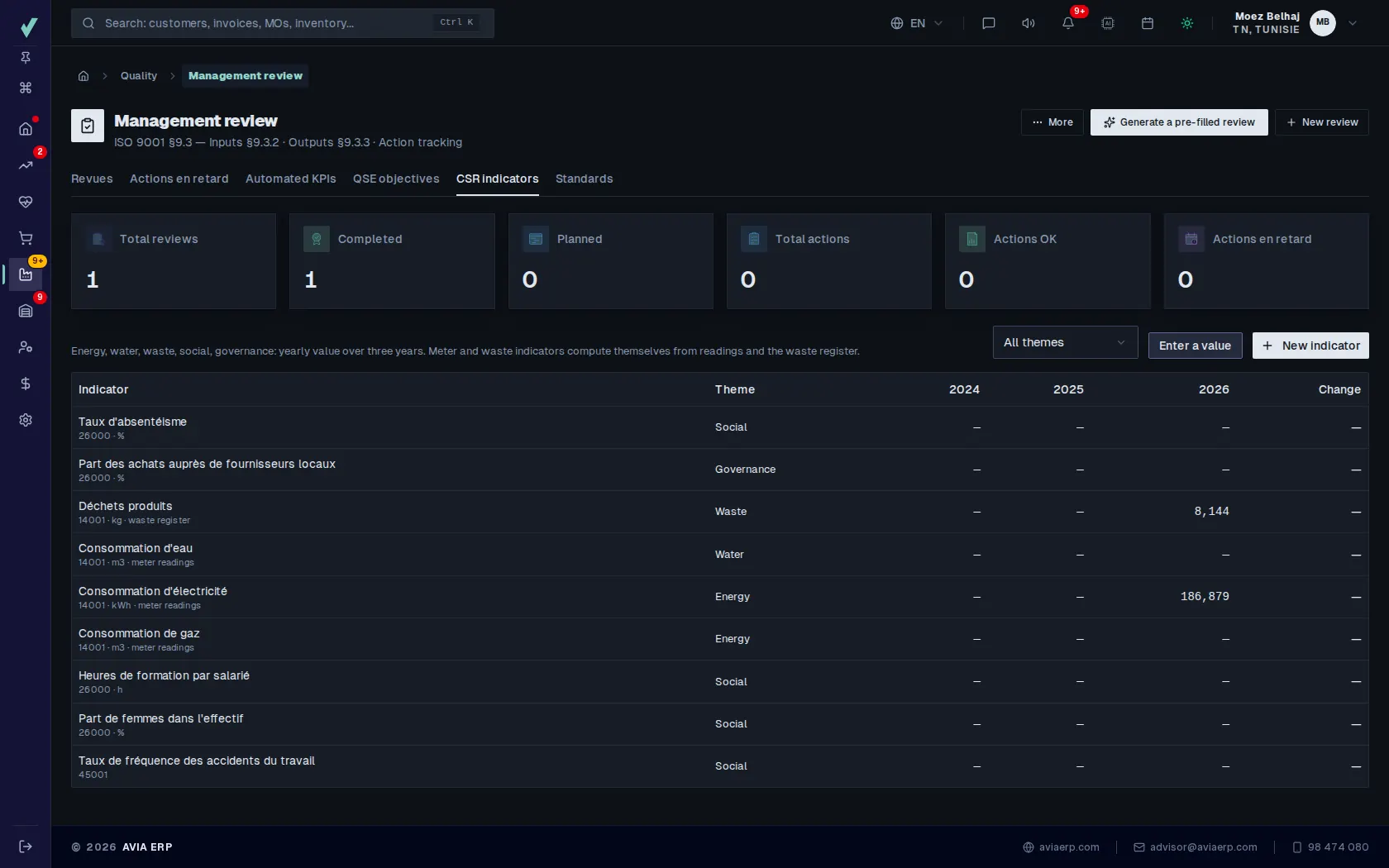
The CSR indicators tab delivers nine indicators by theme (energy, water, waste, social, governance) with the annual value over three years. Four are calculated on their own: electricity, gas and water consumption from the meter readings, and waste produced (in kg) from the register. The other five — accident frequency rate, training hours per employee, absenteeism, share of women in the workforce, share of local purchases — are entered by period, with an annual aggregation of your choice (sum, average or last value). You can add more.
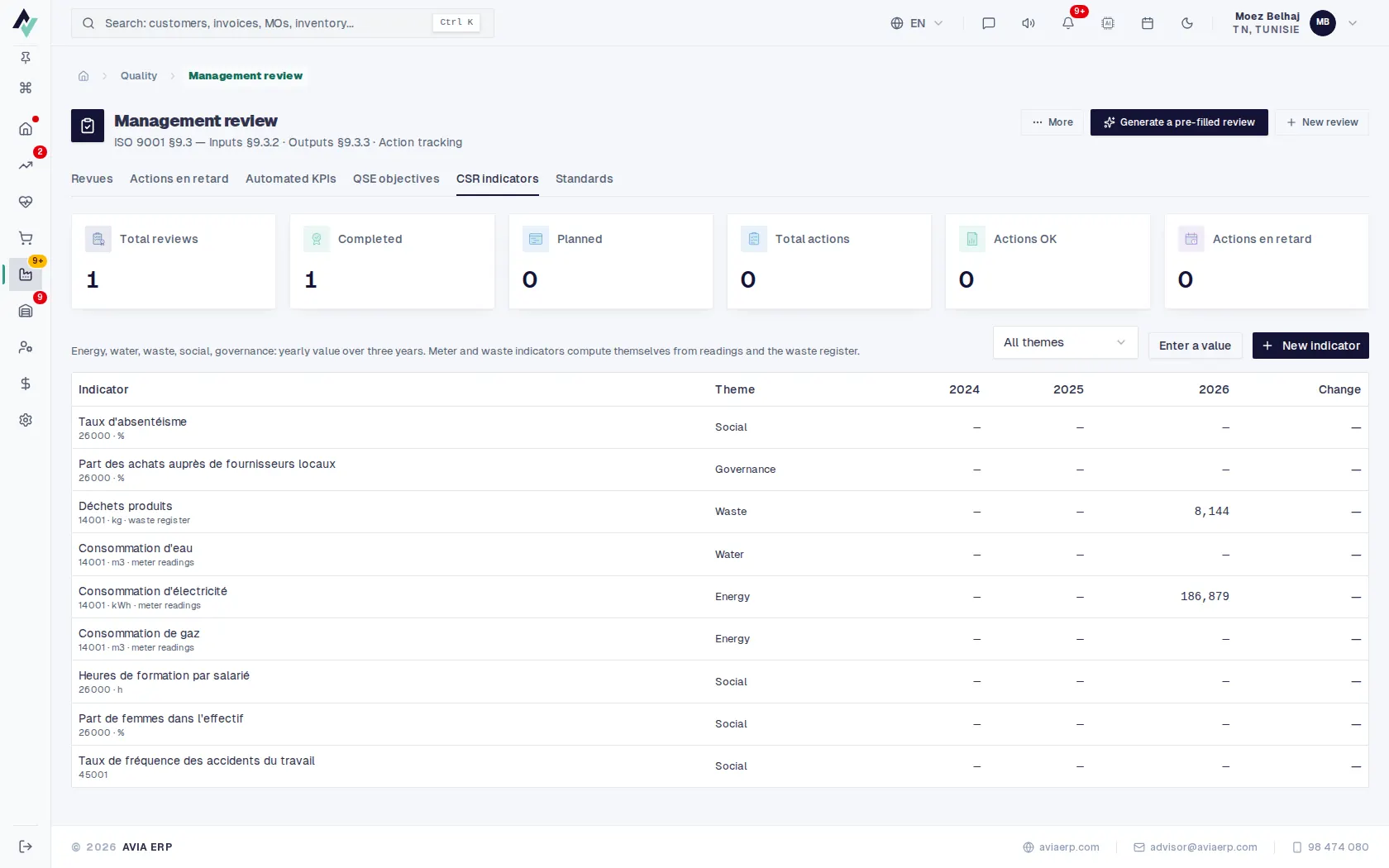
The Standards tab of the same screen is the reference framework to which objectives, audits, requirements and reviews are attached: ISO 9001, 14001, 45001, 22716 (cosmetics good manufacturing practices), GMP, ISO 26000 (CSR), 50001, 13485 and IATF 16949 are supplied; you add your own, and a supplied standard can be deactivated without being deleted.
By sector: textile and the Oeko-Tex / BSCI pack
For a garment maker, the requirement often comes from the customer placing the order: it asks for material certificates and a supplier whose quality is known. In Settings › Business rules, the “Textile — Oeko-Tex / BSCI” pack sets three rules, all inactive.
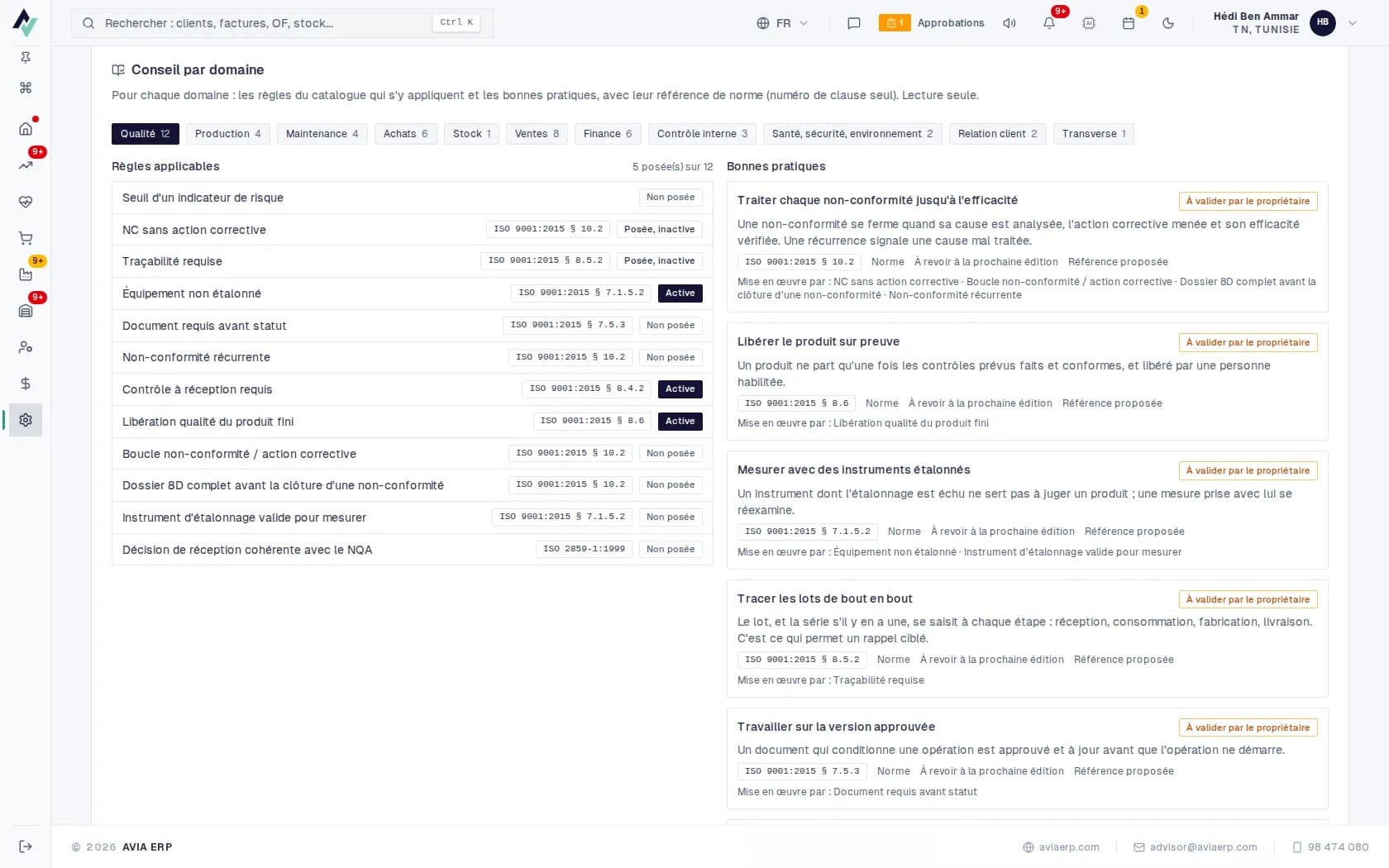
The gesture is always the same: Simulate first, then Apply pack. The simulation replays each rule on your documents without writing anything; applying adds the rules switched off, to be activated one by one, and does not touch those you have already customised.
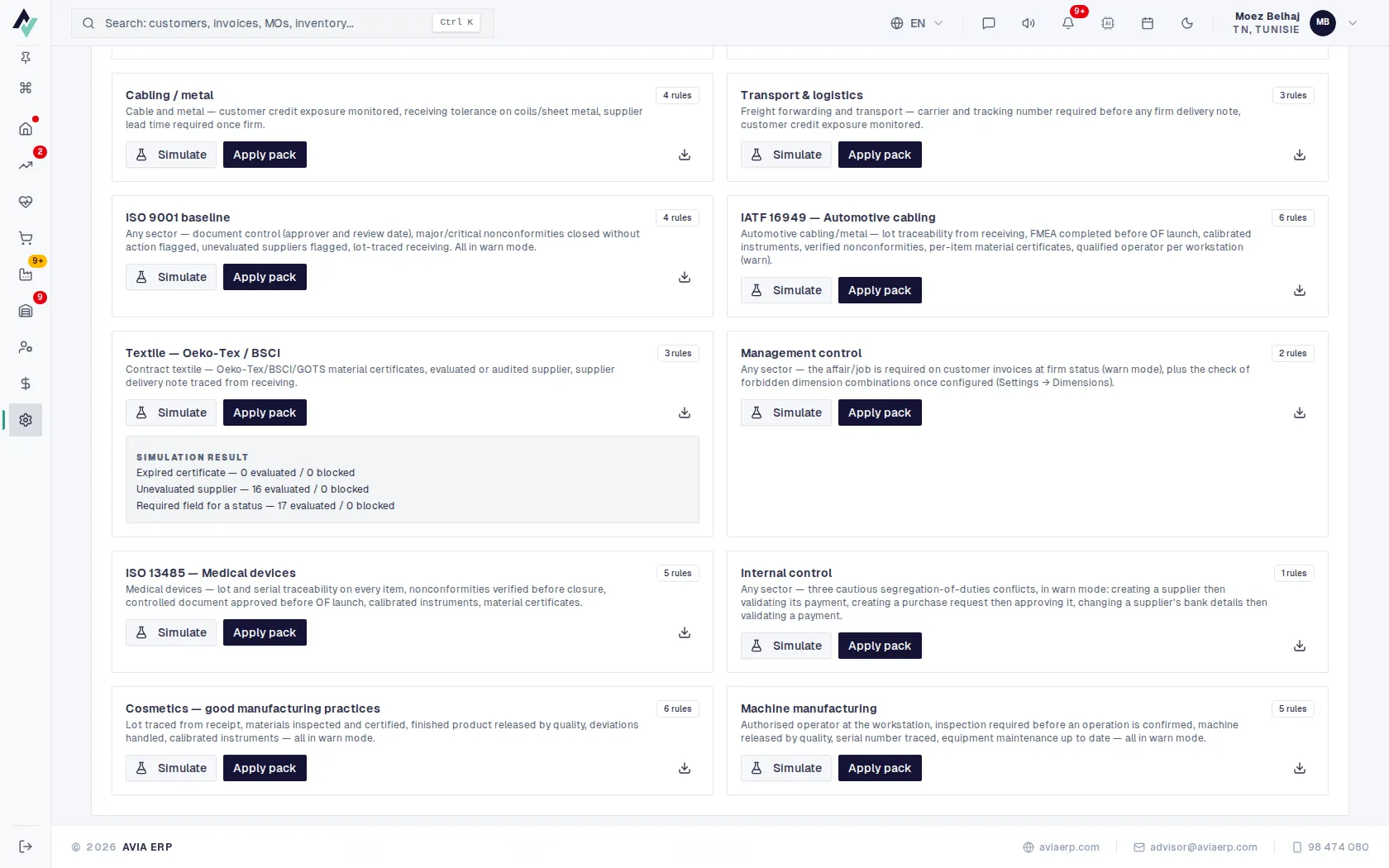
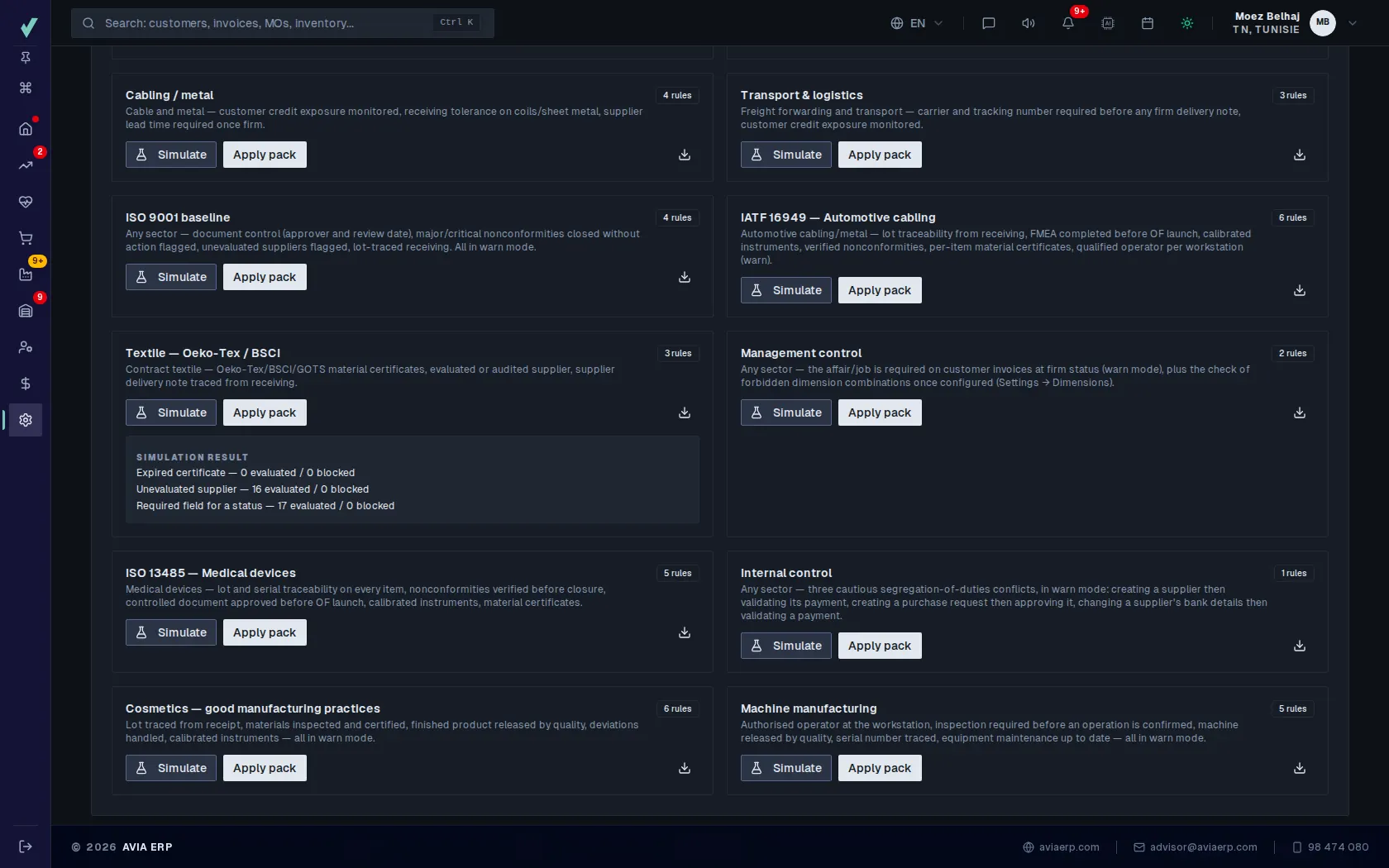
A point of vocabulary: the rule checks the presence of a valid certificate, not the supplier's social compliance. The BSCI audit itself remains that of your certification body; AVIA spares you from ordering or receiving material whose certificate has expired. The sector is detailed on the ERP for textile page.
Summary, from the requirement to what you see:
| Requirement | AVIA screen | Rule or indicator | What you see |
|---|---|---|---|
| Know your aspects (washing, boiler, offcuts) | Environment › Aspects and impacts | Severity × frequency × lack of control score, threshold 30, legal requirement | Significant badge, “without control” alert |
| Trace offcuts and hazardous waste | Environment › Waste | Slip mandatory for hazardous waste; “Waste produced” indicator | Monthly totals in kg, Hazardous badge |
| Control energy and water (boiler, laundry) | Environment › Consumption | CSR indicators electricity, gas, water | One tile per meter, change from the previous month |
| Comply with the texts (discharges, pressure equipment) | Environment › Regulatory watch | Next review at twelve months by default | Compliant / partially compliant, “Requirements to address” tile |
| Material under an Oeko-Tex, BSCI, GOTS certificate | Supplier record › Certificates; Business rules | “Expired certificate” rule (textile pack, warn) | Simulation: documents evaluated and blocked |
| Suppliers evaluated or audited | Business rules | “Unevaluated supplier” rule (warn) | Purchase order flagged before it becomes firm |
| Show that you are improving | Management review › QSE objectives, CSR indicators | Target, actual, favourable direction | Achieved / Missed; pre-filled review section |
What AVIA does not do for you
- No carbon calculation. AVIA does not compute a carbon footprint: it does not convert your kWh, m³ or kg into CO₂ equivalents and produces no emissions report. It keeps the activity data (consumption, waste) that an external calculation will ask for.
- No turnkey environmental analysis. You identify the aspects and rate them; AVIA keeps the score and the register.
- No legal watch. The requirements register is empty at the start; the texts and their updating are yours.
- CSR indicators are not taken up in the management review: it reads the QSE objectives and the environment section. A review limited to ISO 26000 takes up the “management system” core without the environment section: add ISO 14001 to the review's standards.
- No certification, no social audit: the textile pack checks certificates, not a supplier's compliance.
Going further
The quality discipline underlying all this is described in ERP and ISO 9001: facing your quality audit without dreading traceability, and the non-conformity / corrective action loop in Six Sigma in AVIA. For occupational health and safety, see Occupational health and safety in AVIA. How rules work (scopes, modes, packs, simulation) is in the business rules documentation and on the business rules page. For the circular economy framework, see sustainable and circular industry.