Contents
Short answer
In AVIA, an ISO 9001 effort starts with the “ISO 9001 baseline” rule pack (or a sector pack), simulated then applied: the rules arrive switched off and are activated one by one. The Advice section shows the state of each rule (active, set inactive, not set) and its clause references, presented as proposed correspondences. The screens then carry the requirements: control plans and sampled receiving inspection, final inspections, calibrations, evaluated and approved suppliers, audits and a pre-filled management review. AVIA is not certified: it is designed to support an effort.
Articles on ISO 9001 explain what an auditor expects. This one shows where it is prepared in AVIA: which rule pack to set, which screen to open, what remains to be switched on by hand and what you see next. AVIA is not ISO 9001 certified: it is designed to support a certification effort, not to replace it. The running example is a demonstration cosmetics laboratory; every screenshot comes from the portal, on that fictitious company.
Before you start: what the standard becomes in AVIA
AVIA does not contain the text of the standard. It contains business rules (a threshold, a scope, a mode) that hold a discipline at every entry, and screens that keep the evidence. When a rule or a good practice is matched with an ISO 9001:2015 clause number, that match is a correspondence proposed by AVIA, with the confidence “reference proposed”: it serves as a landmark, not as a validation. It is for your quality manager, and your certification body, to confirm it.
1. Set the rule pack, in Settings › Business rules
At the top of the screen, the Packs by business section offers cautious sets of rules. Two are useful here: the ISO 9001 baseline (any sector, four rules) and, for our laboratory, the Cosmetics — good manufacturing practices pack (six rules, tied to ISO 22716 at pack level, with no clause number). In both cases, all the rules are in warn mode: they flag, they do not block.
The gesture is always the same. Simulate first: the server replays each rule on your existing documents and tells you how many would have been flagged, with a warning as long as the evaluation runs on today's data and not on the data of the day of entry. Then Apply pack: the rules arrive switched off, and those that already exist are neither duplicated nor overwritten.
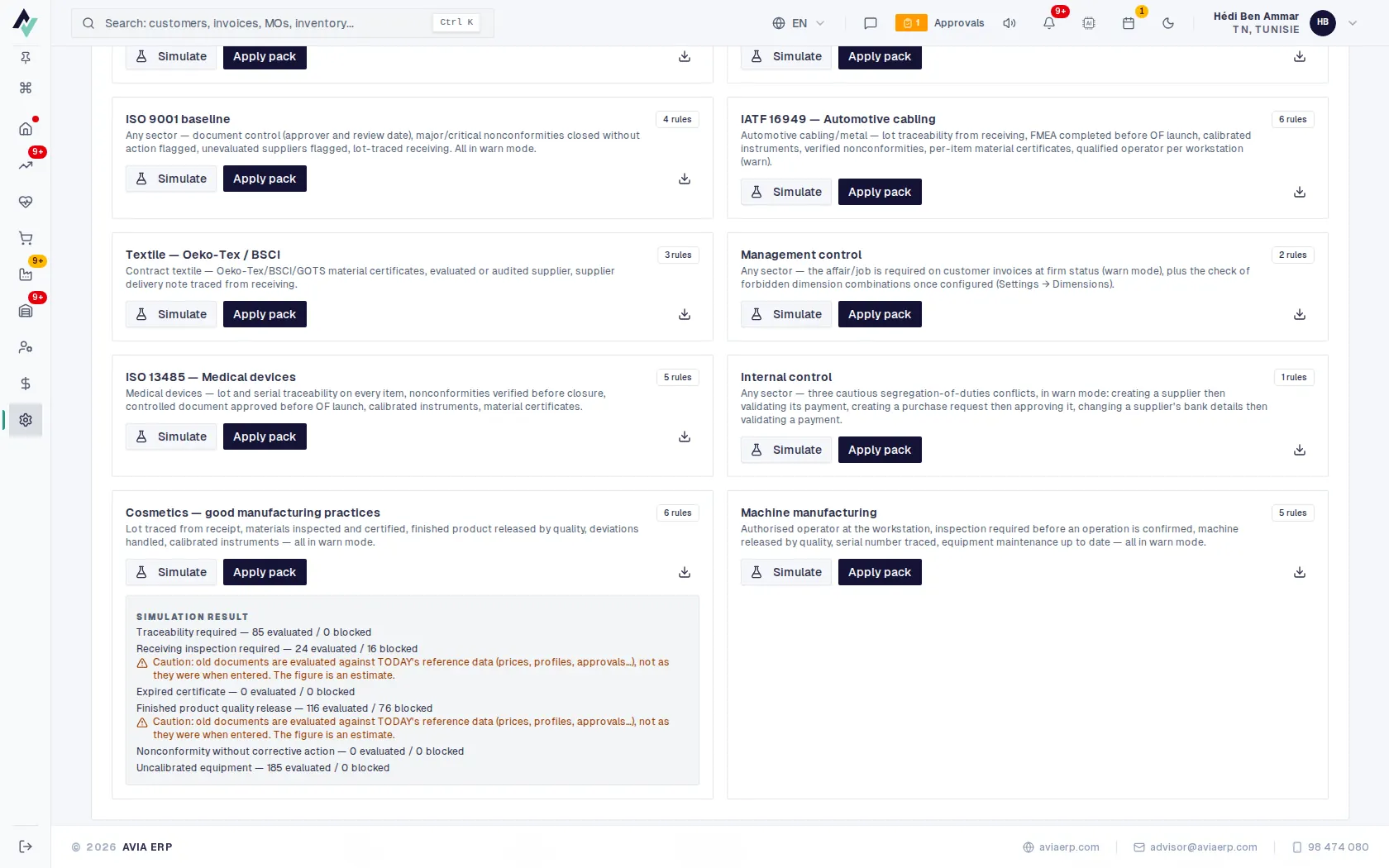
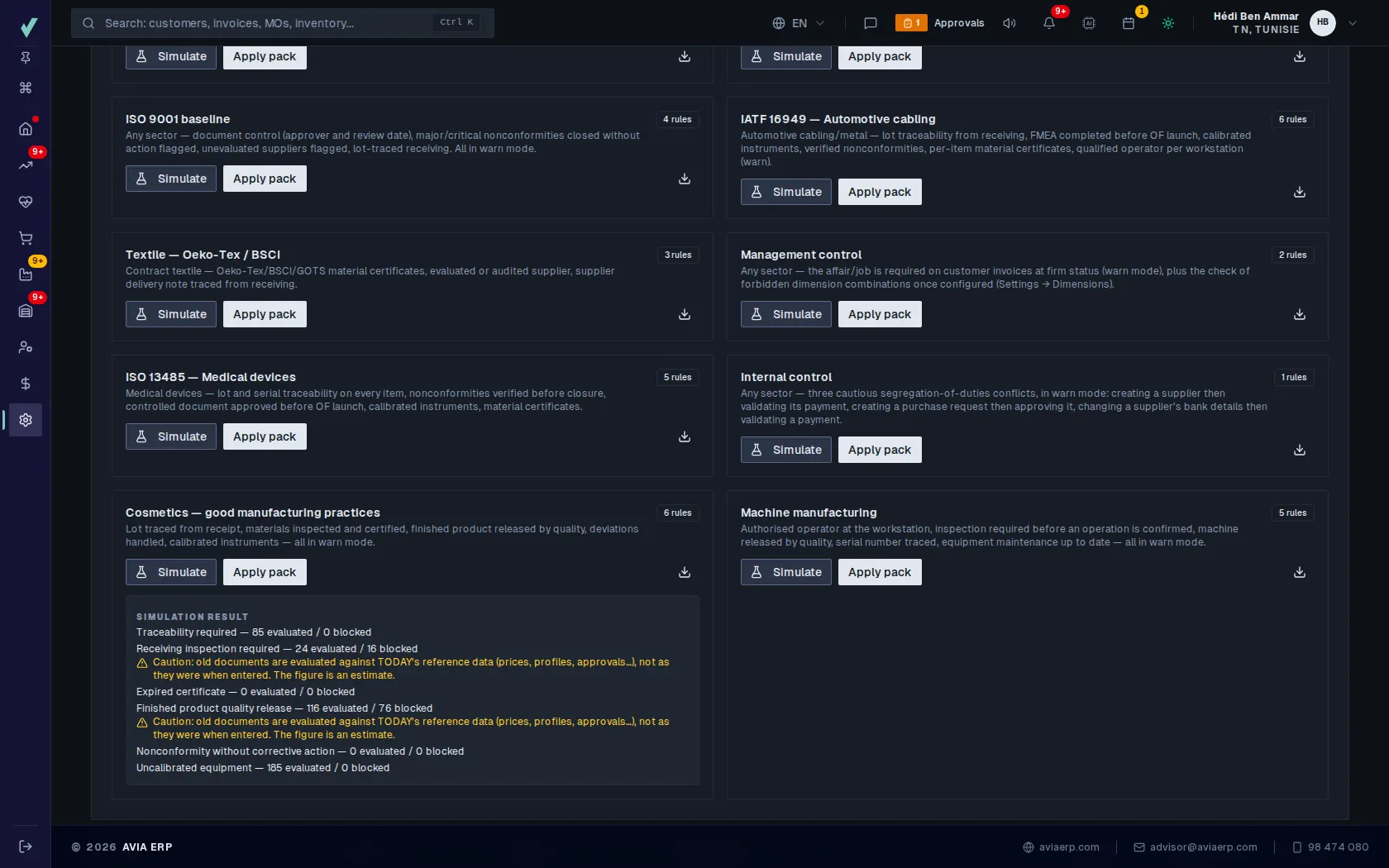
Read the simulation as a snapshot, not as a verdict: a high figure means your current practice does not yet match the rule, not that something is broken.
2. Activate the rules one by one, then read the Advice section
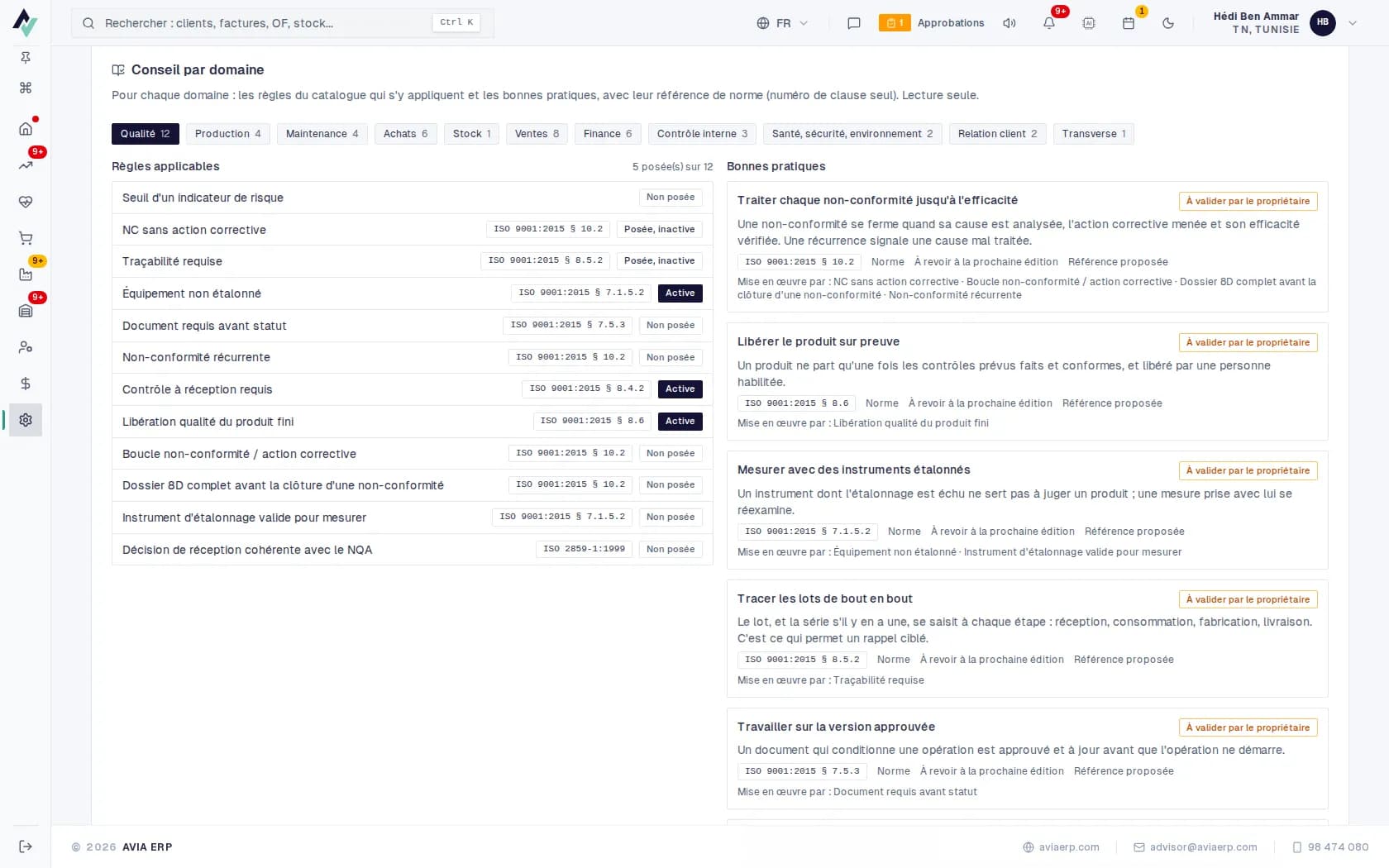
Below the list of packs, the list of rules has a switch on each line. Activate one, observe, activate the next: this is deliberate, a pack never changes the way you work in a single validation. Further down, the Advice by domain section sorts the catalogue's rules by domain (quality, production, purchasing, stock, maintenance…) and shows, for each, its state: Active, Set, inactive or Not set, with the count of rules set out of those available. Beside it, good management practices, each linked to the rules that implement it.
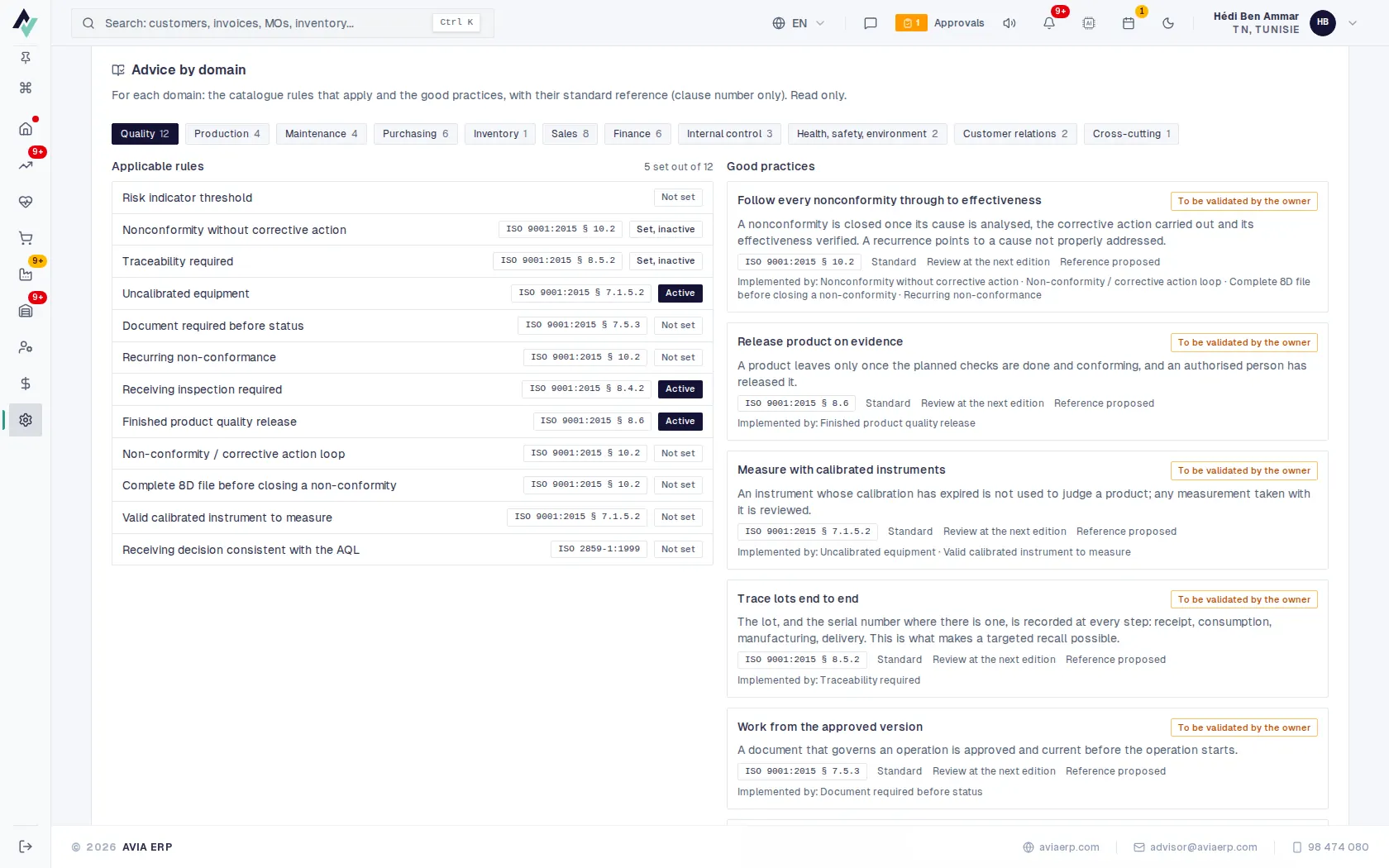
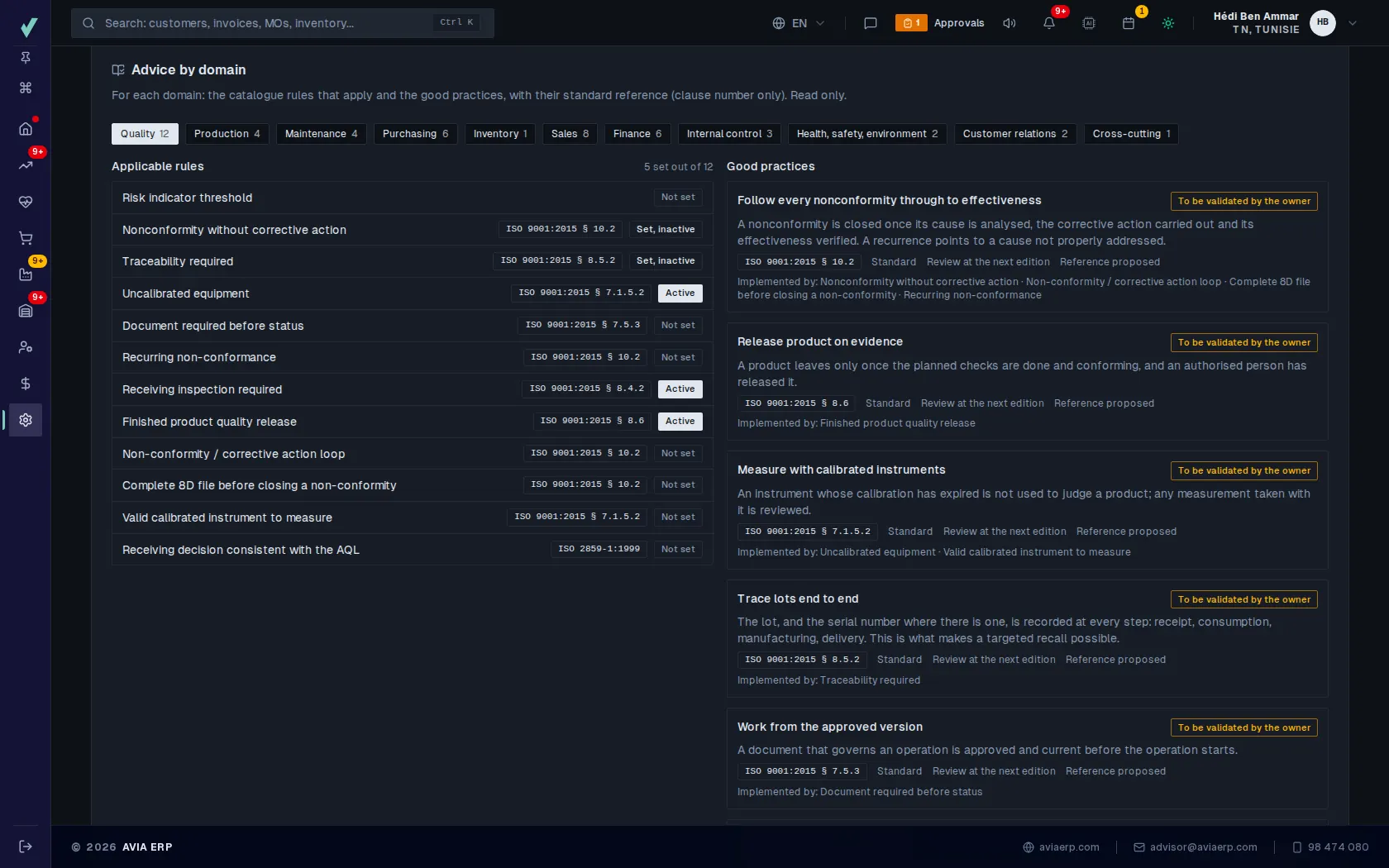
Two mentions on this screen matter for an ISO effort. Each good practice indicates its source (standard, management practice or legal obligation), its validity period (“to be reviewed at the next edition”) and the confidence of the reference (“reference proposed”). And the “To be validated by the owner” badge says the text is a draft: the section is read-only and does not amount to expert advice.
3. Control plans and sampled receiving inspection
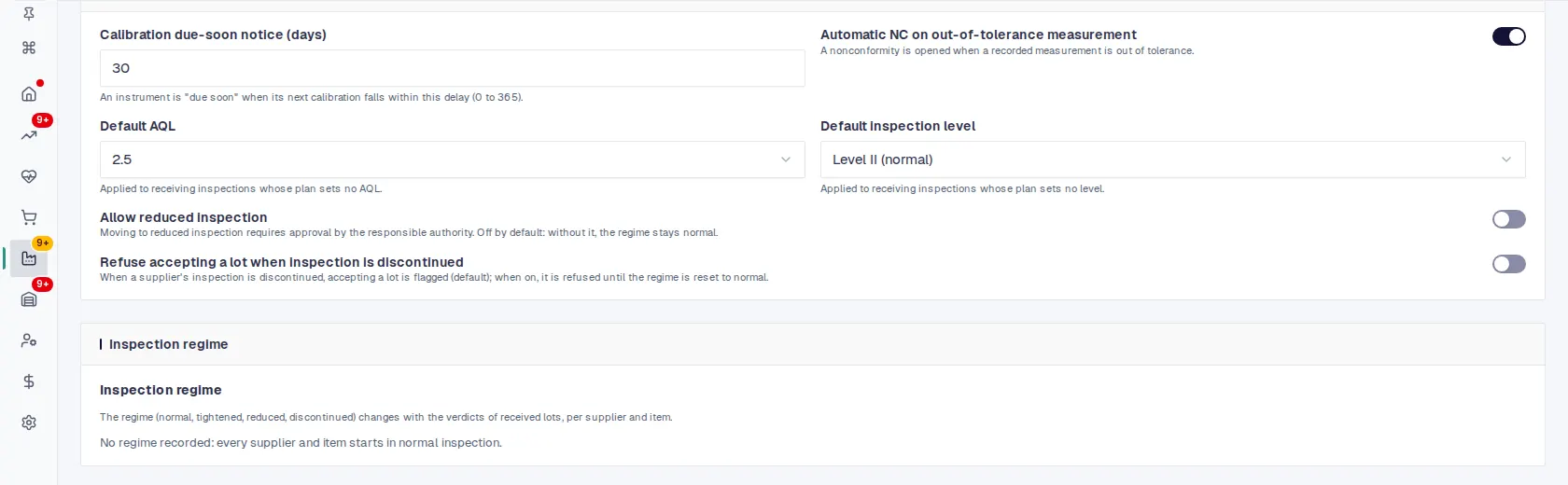
In Quality › Control plans, a plan is attached to an item and an operation, with its execution context (receiving inspection, manufacturing order operation, final inspection), its frequency, its control points and, for receiving, an AQL and an inspection level chosen from the ISO 2859-1 table. Failing that, the defaults in Quality settings apply (AQL 2.5 and level II in the example).
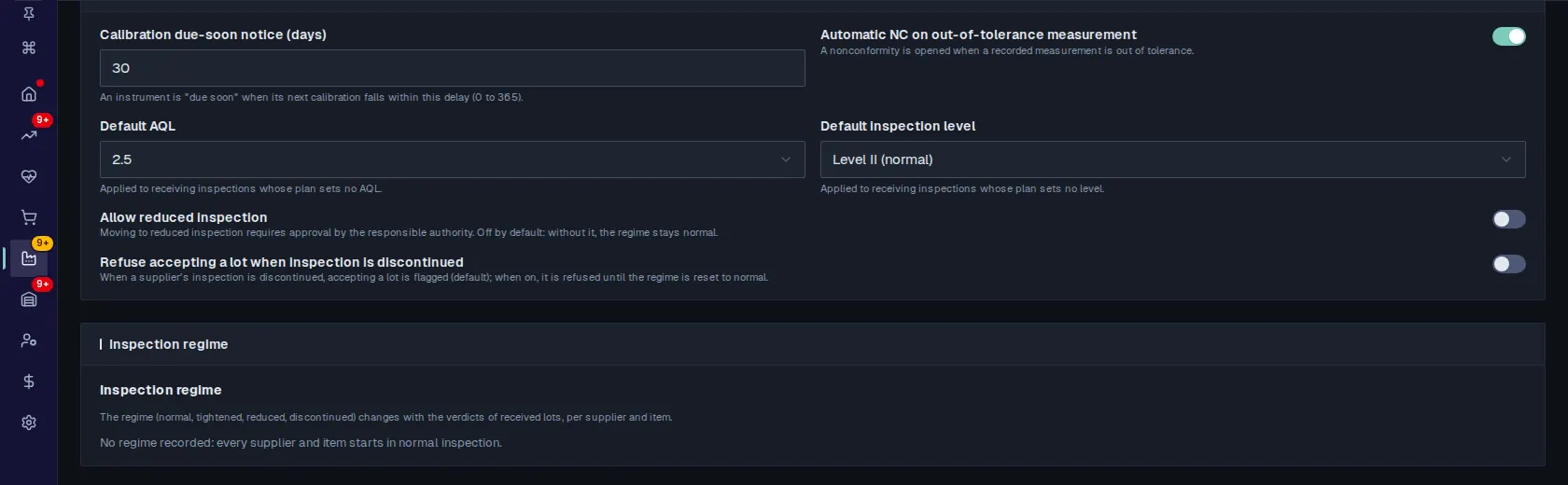
When a receipt containing lines to inspect is validated, the quantity is placed under inspection and the stock stays blocked until the inspection decision (Purchasing › Receiving inspection). As long as an inspection is pending, its panel displays the calculated plan, for example “lot of N pieces, level II, AQL 2.5: code letter, sample of n pieces, accept if c defective or fewer, reject from r” — the code letter, the sample size and the acceptance and rejection numbers. The rule “Receiving decision consistent with the AQL” prevents accepting a lot whose number of defectives reaches the rejection number; a waiver remains possible.
The inspection regime (normal, tightened, reduced, suspended) evolves with the verdicts of the lots received, per supplier and per item. Every supplier starts under normal inspection; moving to reduced requires an explicit authorisation in the settings. One limit, stated plainly: the ISO 2859-1 tables for tightened and reduced inspection are not yet delivered. Tightened applies the normal plan at the next stricter AQL, reduced keeps the normal plan, and the panel says so in plain words. Do not present this mechanism as a complete implementation of the standard.
4. Release the product on evidence, in Quality › Final inspections
At the end of a manufacturing order, the finished product of an item subject to final inspection is placed under inspection. You enter the result, then decide to release or reject the lot. The rule “Finished product quality release” sets the firmness: in Observe mode, the stock is not blocked but every product that would have been is counted; in Block mode, the quantity really stays blocked until the decision.
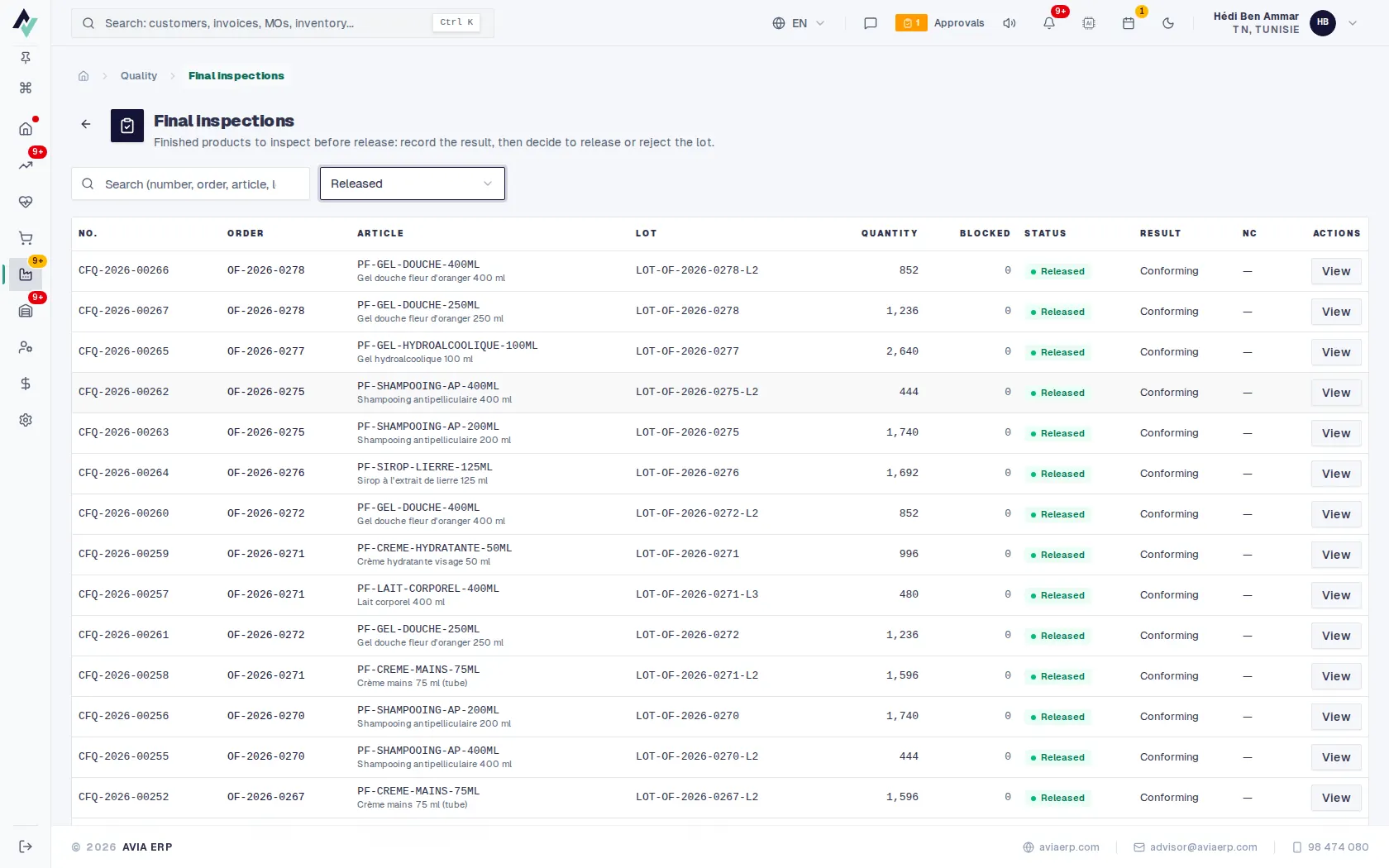
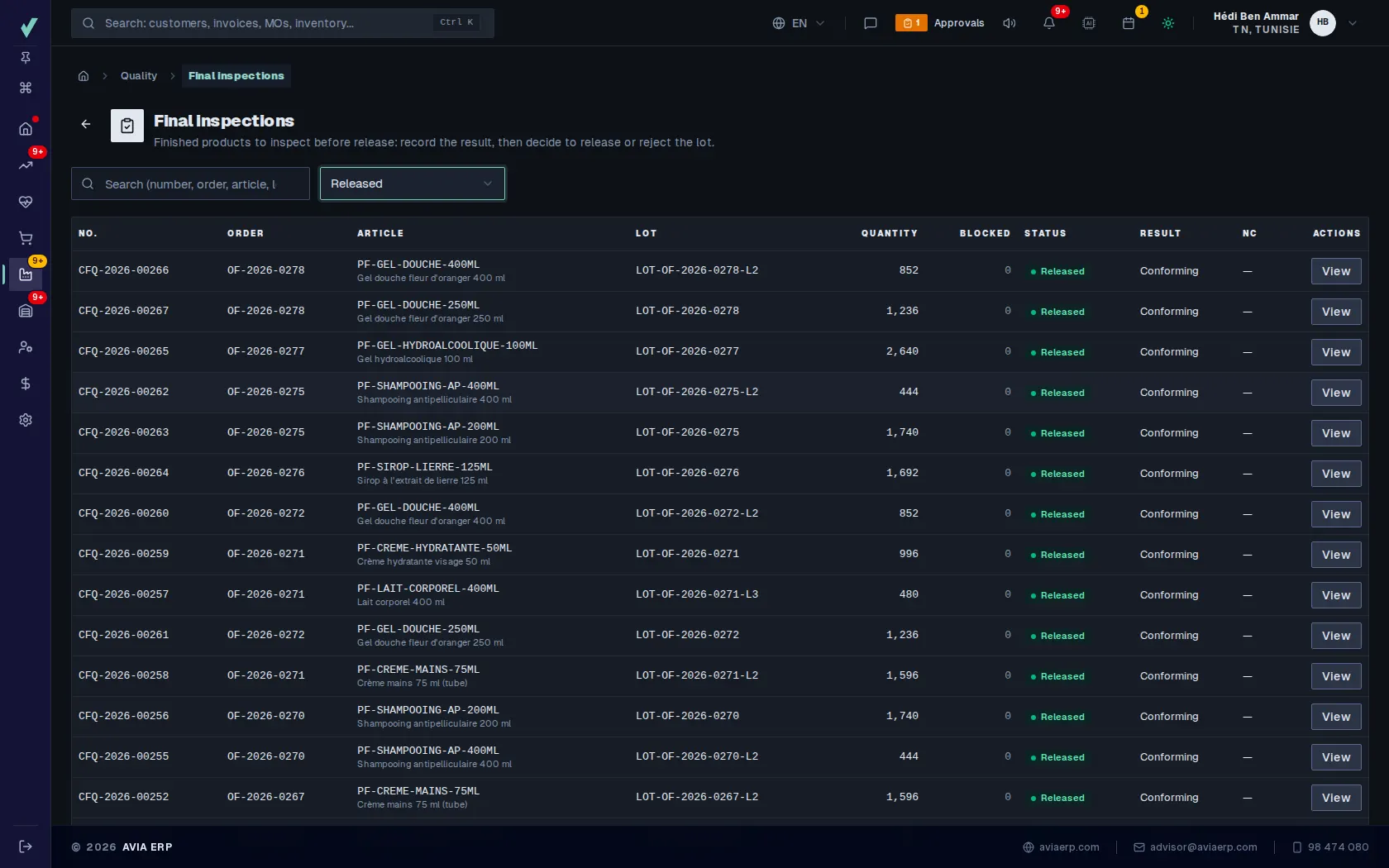
A non-conforming final inspection can open a non-conformity automatically (the “Non-conforming final inspection” setting in Quality settings), and the rule “Non-conformity / corrective action loop” then holds the rest; it is described in the article on DMAIC in AVIA.
5. Calibrations, in Quality › Instruments & calibrations
The fleet of measuring instruments shows, for each, its calibration status (valid, due soon, overdue, out of service), the last calibration and the next due date. The status is calculated by the server; the due notice is set in days in the quality settings. Four tiles summarise the fleet; overdue lines stand out.
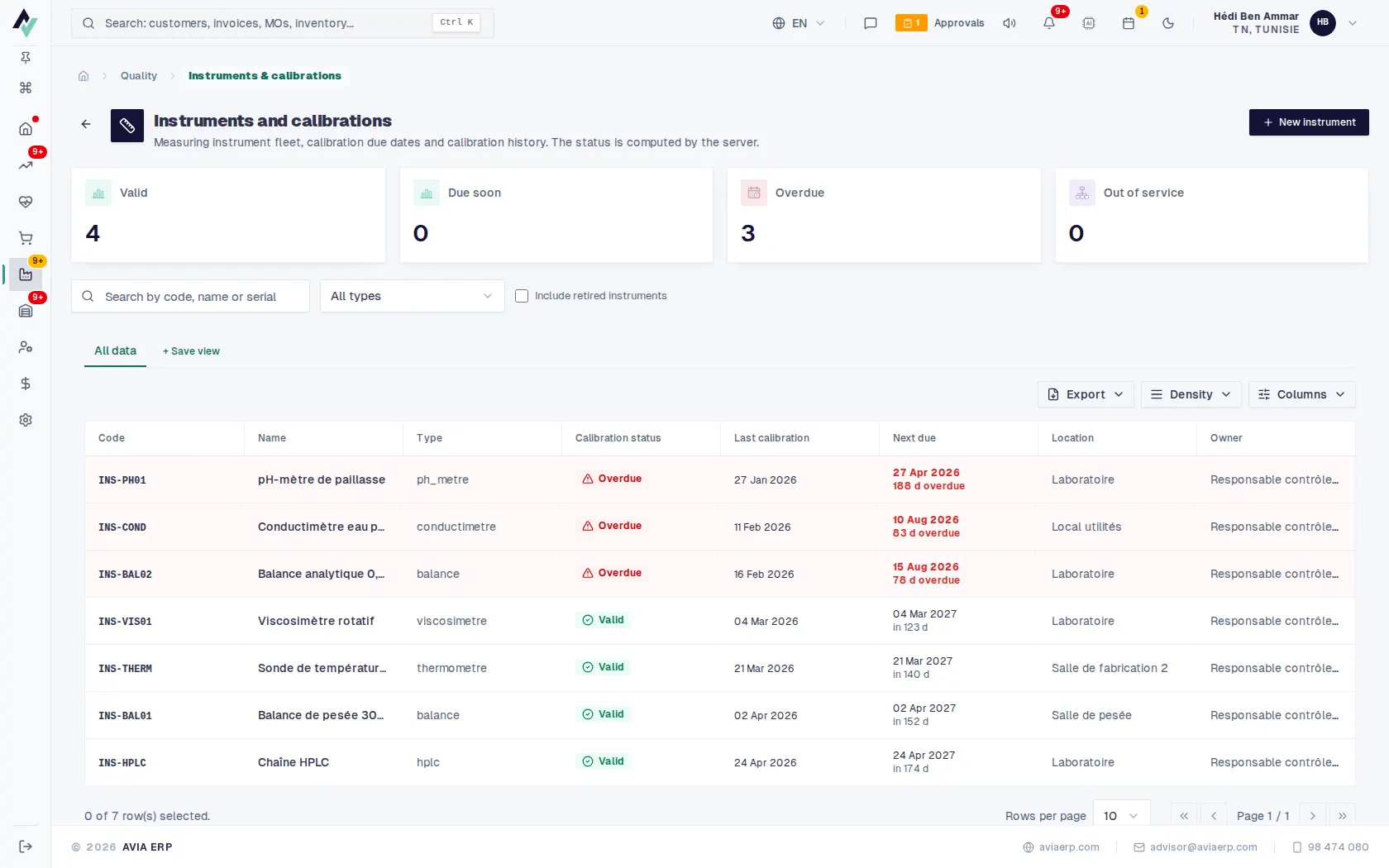
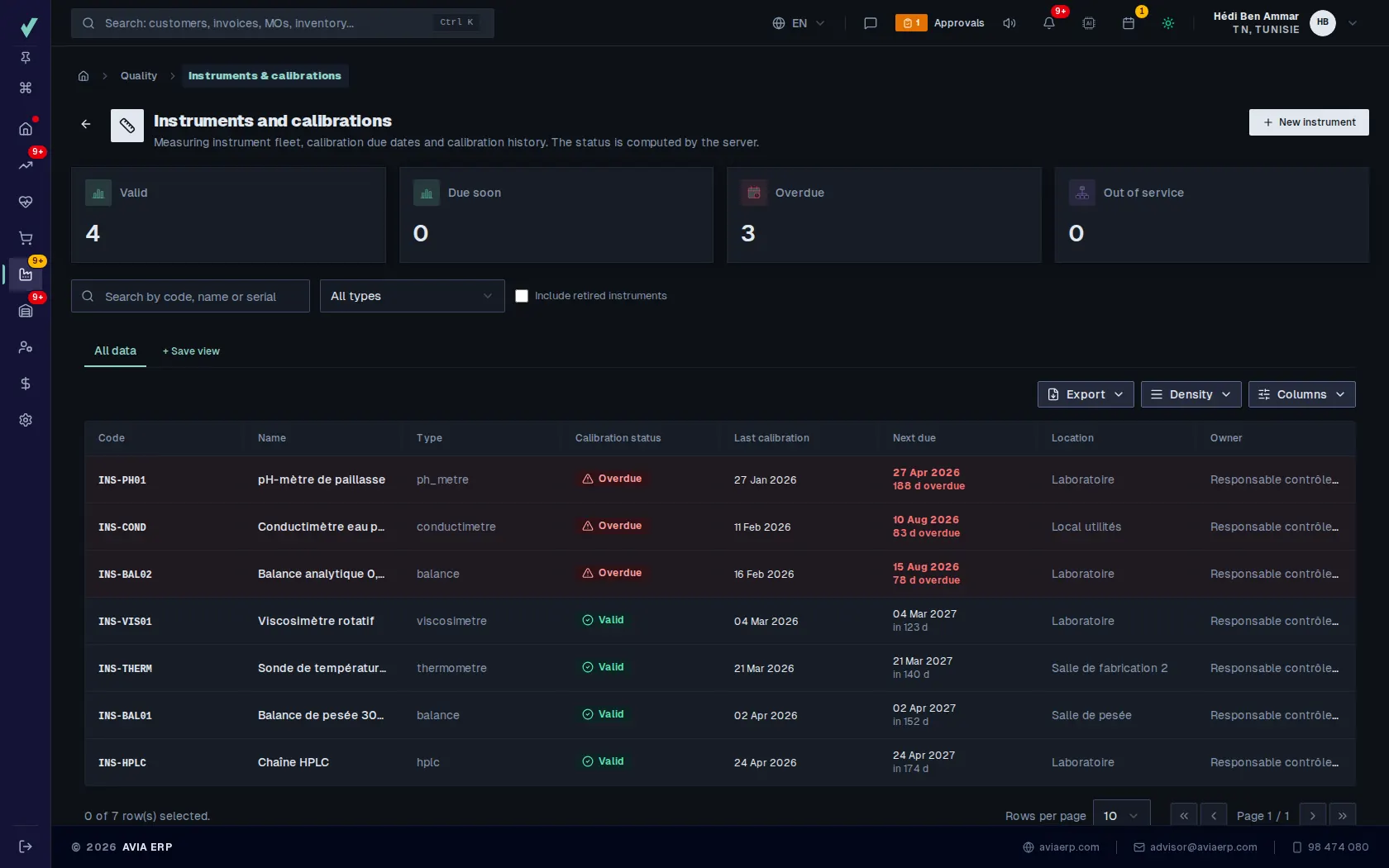
Two rules link this fleet to measurements. “Uncalibrated equipment” (the one we activated in step 2) targets a quality inspection or a control chart measurement entered with an instrument that is out of calibration; “Valid calibrated instrument to measure” requires, when the characteristic asks for it, an instrument that is up to date on the date of the measurement. In warn mode, the gap is flagged; in block mode, the measurement is refused.
6. Evaluated and approved suppliers
Two notions, two rules. The evaluation is entered on the supplier record (“Supplier evaluations” panel, “New evaluation” button); the rule “Unevaluated supplier”, present in the ISO 9001 baseline, flags the moment a purchase order becomes firm for a supplier with no valid evaluation (365 days by default, minimum score and taking a recent supplier audit into account as options). The approval is set per supplier and per item (approved, on trial, blocked) from the item record; the rule “Supplier approved for the item” flags, or refuses depending on the mode, an order line with a supplier blocked for that item. A supplier on trial is never refused. This second rule is in no pack: it is active by default in warn mode. The supplier ranking (Purchasing) completes the view with punctuality, quality at receipt and price gap, calculated by the server.
7. Audits and management review
Quality › Quality audits keeps the audit plans and the internal, supplier and external audits, with their status, date, score, number of non-conformities and findings. An audit finding can open a non-conformity automatically (the “Audit finding” setting).
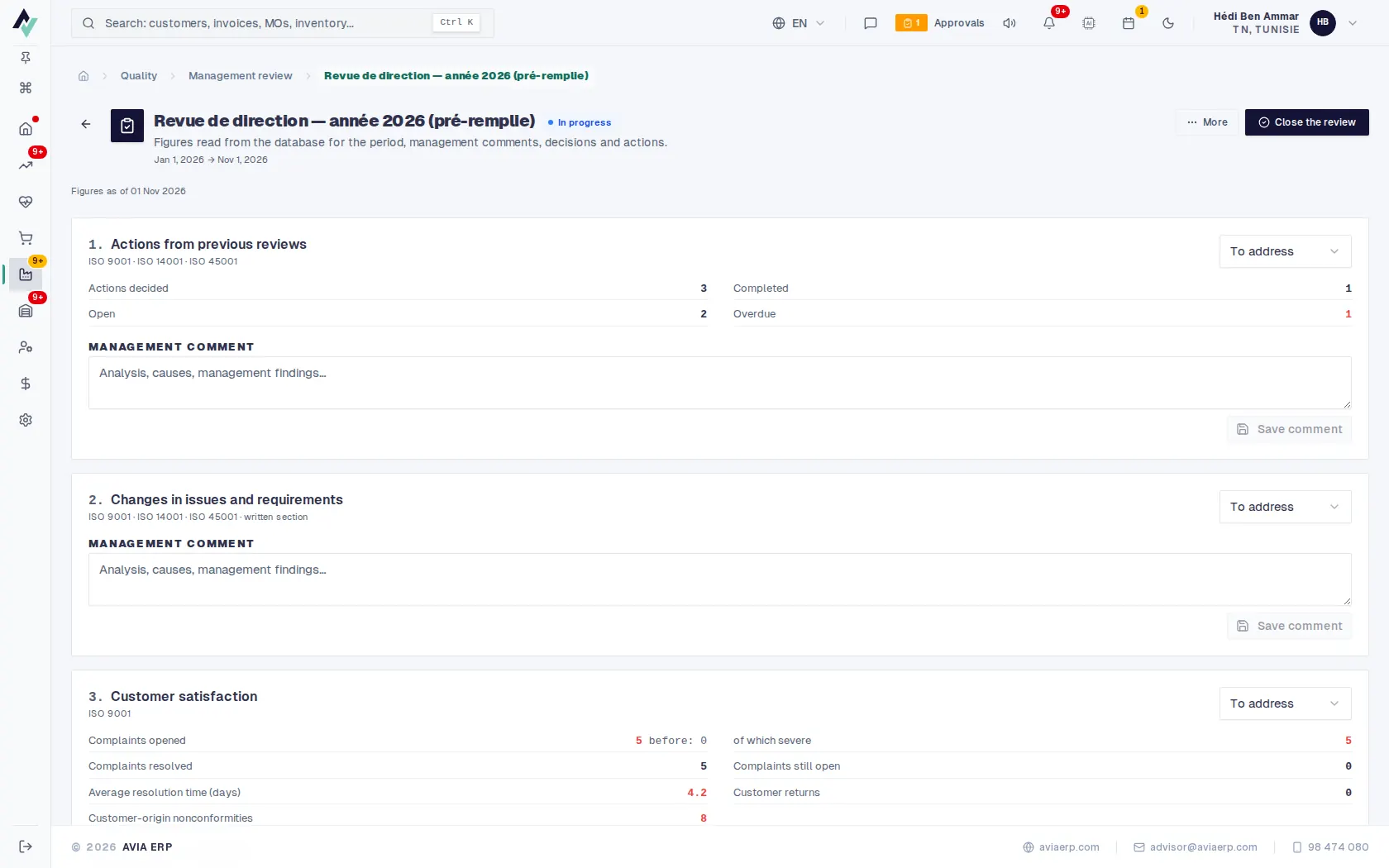
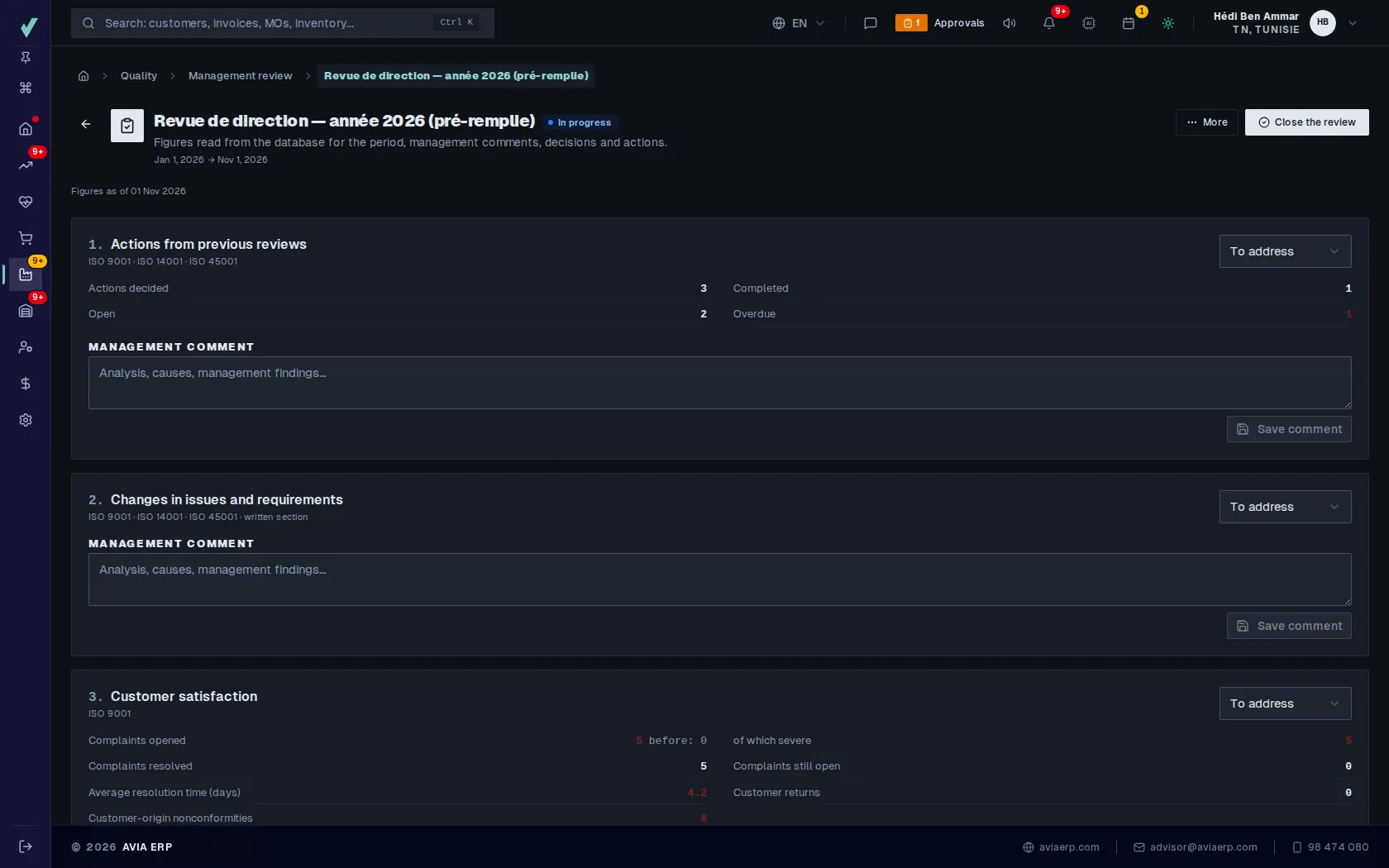
Quality › Management review is announced by the screen itself as covering the inputs, outputs and follow-up of review actions. The “Generate a pre-filled review” button asks for a period and the standards, then the server reads the figures for the period (quality, customers, objectives, suppliers, environment, safety, documents) and creates a draft: each section has its status and its area for management's comment. The review is then closed, and its figures, comments and decisions are frozen.
Requirement, screen, rule, result
The clauses below are the correspondences proposed by AVIA in its rule catalogue (ISO 9001:2015, clause number only, confidence “reference proposed”). They do not amount to validation by a certification body.
| Requirement (proposed clause) | AVIA screen | Business rule | What you see |
|---|---|---|---|
| Evaluate suppliers (§ 8.4.1) | Supplier record › Supplier evaluations; Supplier ranking | Unevaluated supplier; Supplier approved for the item | A warning (or a refusal in Block mode) when the order becomes firm |
| Inspect what is received (§ 8.4.2, ISO 2859-1) | Control plans; Purchasing › Receiving inspection | Receiving inspection required; Receiving decision consistent with the AQL | Stock blocked until the decision; sampling plan (code letter, size, acceptance, rejection) |
| Release the product (§ 8.6) | Quality › Final inspections | Finished product quality release | Quantity under inspection, result, decision to release or reject |
| Identify and trace (§ 8.5.2) | Quality › Traceability | Traceability required | Receipt without a lot number flagged or refused |
| Monitoring and measuring resources (§ 7.1.5.2) | Quality › Instruments & calibrations | Uncalibrated equipment; Valid calibrated instrument to measure | Status valid, due soon or overdue; measurement flagged or refused |
| Documented information (§ 7.5.3) | Controlled documents | Required field for a status (ISO 9001 baseline); Document required before status | Approved document with no approver or review date flagged |
| Nonconformity and corrective action (§ 10.2) | Quality › Non-conformities and Corrective | Nonconformity without corrective action; NC / corrective action loop; Recurring non-conformance | Closure flagged or refused without an action; effectiveness check |
| Management review (§ 9.3, cited by the screen) | Quality › Management review | No rule: a screen and a generated draft | Sections quantified by the server, management comments, tracked actions |
By sector: what the baseline and the sector packs set
The ISO 9001 baseline is cross-sector. Two sector packs add tighter rules; all of them are found, with their state, in the Advice section. A pack arrives with its rules switched off: you simulate it, then switch the rules on one by one. The baseline and the cosmetics pack work in warn mode; the medical devices pack, the strictest (ISO 13485:2016), blocks four of its five rules.
The detail of each sector is on ERP for pharmaceutical and cosmetics and ERP for medical devices.
What AVIA does not do for you
- It certifies nothing and replaces neither the certification body nor your quality manager. The clauses are proposed landmarks; the good practices in the Advice section are drafts to be validated.
- It does not write your quality manual or your procedures, and the pre-filled management review contains only figures: the comments and decisions are management's.
- Tightened and reduced sampling inspection rely on simplified tables until the standard's tables are supplied; AQLs above 10 are not offered.
- A pack activates nothing: as long as you have not activated a rule, it does nothing.
Going further
What an auditor really asks for, and why traceability decides the audit week, is detailed in ERP and ISO 9001: facing your quality audit without dreading traceability. How rules work (scopes, modes, packs, simulation) is described in the business rules documentation and on the business rules page. For the non-conformity / corrective action loop and control charts, see Six Sigma in AVIA: a step-by-step DMAIC.